Documentation, in the open.
Find deployment guides, admin instructions, API references, and release notes for Polaris and Mersive Solstice Gen 3. Reference documentation is public. Detailed security reports require an NDA, and training courses require an account. Each is labeled below so you can go straight to the resource you need.
Open the documentation portal ↗ (opens in a new tab)
Search the documentation portal
Open the portal to search for a topic, product, or setup task.
Documentation and learning resources
Learning videos
Watch Mersive walkthroughs for room users and administrators. Use the playlist for a quick demonstration or to support user training.
Watch the learning playlist ↗ (opens in a new tab)Mersive Learning Lab
Take structured courses and certification training for partners and administrators. Sign in to track your progress and completed courses.
Sign in to Learning Lab ↗ (opens in a new tab)Polaris documentation
Setup, network requirements, cloud administration, and sharing guides for Polaris. The portal currently groups these pages under Mersive Collaboration Suite.
Open Polaris documentation ↗ (opens in a new tab)Mersive Solstice Gen 3 documentation
Deployment, Solstice Cloud administration, Active Learning, the OpenControl API, and release history for Solstice Gen 3 rooms.
Open Solstice Gen 3 documentation ↗ (opens in a new tab)Security documents and reports.
Start with the Trust Center for security evidence and scope. Request detailed reports for your review, or go straight to the technical references for your deployment.
Trust Center
Review the security architecture, certifications, assessment scopes, and independent testing results.
Visit the Trust Center →Request security reports
Request the SOC 2 Type 2 report or full penetration-test reports for your security review. An NDA is required.
Request reports →Technical references
Plan network access and review firmware releases, update behavior, and deployment guidance.
Plan the network connections.
Set up the room. Keep it running.
Start with installation and activation, then move to day-to-day administration. Use the guide for your product and generation. Missing installation and management guides are identified below.
Install each product
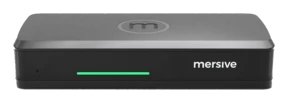
Start with the quick start guide for room connections and cloud activation. Review the Pro specifications when planning power, displays, and peripherals.
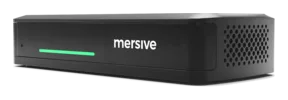
Open the quick start guides ↗ (opens in a new tab)Start with the quick start guide for room connections and cloud activation. Review the Essentials specifications when planning the display, network connection, and power outlet.
Open the quick start guides ↗ (opens in a new tab)Installation documentation is pending. See the product page for the proposed room fit and availability.
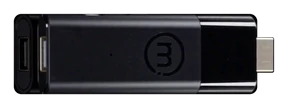
View Polaris Launch →Link is shipping. Link is a software bridge between the laptop in BYOM and the Pro, and the Pro is what controls the room's cameras and peripherals. That is why Link needs a Pro.
Host is pre-launch, planned for Q4 2026, and is designed to add room-hosted meetings to Pro or Essentials.
Explore Link and Host →Open the regulatory and safety statement for Polaris Pod hardware.
Read the safety statement ↗ (opens in a new tab)Manage the fleet
Manage organizations, devices, users, and plans at app.mersive.com/admin. Start with the cloud administration guide.
Open cloud management documentation ↗ (opens in a new tab)Check the release notes for changes, fixes, and known issues.
Open Polaris release notes ↗ (opens in a new tab)Learn about the partner program.
View the partner program →Choose the app for your room.
Windows and macOS clients for Solstice Gen 3 rooms.
Open Solstice downloads ↗ (opens in a new tab)Use the Polaris app for Polaris rooms and the Mersive Solstice app for Gen 3 rooms. Check the app guide before choosing a download.
View the app guide →Share from a supported laptop browser at app.mersive.com without installing a desktop sharing client.
See how browser sharing works →The documentation portal separates Polaris and Solstice Gen 3. Some Polaris pages still use the name Mersive Collaboration Suite. Use the product and generation labels to choose the right instructions.
Start with the task in front of you.
Quick links for deployment, security, administration, and integration. Polaris and Solstice Gen 3 are listed separately so you can find the right instructions for each room.
TCP and UDP port tables, firewall exceptions, the Windows program allowlist, and a network diagram.
Import Pods, configure templates, set network and security options, add calendars, and validate the deployment.
Silent installation parameters and worked examples for centrally deploying the Windows app.
Explore the Trust Center for Polaris security architecture and assessment details. See the release notes for network-authentication updates.
Configure admin access, HTTPS redirects, traffic encryption, certificates, and ICMP settings through a Solstice Cloud template.
Configure Gen 3 Pods over the local network. Solstice Dashboard is a legacy management tool.
Onboard Pods and manage the Gen 3 fleet through Solstice Cloud.
Review availability, update status, email alerts, and fleet exports.
Features, fixes, and known issues, organized by release.
REST reference for sign-in, devices, status, reboot and sleep, digital signage, calendars, and fleet-wide jobs, with request and response examples.
Product changes, including published notes on remote reboot, sleep and wake, and device information APIs.
Choose a task, then your platform.
Open a section to find guides for Polaris and Solstice Gen 3. Choose the product and task that match the room you are working on.
Deploy and connect
Network requirements, firewall guidance, device activation, and app deployment.
Show guidesHide guides
These instructions apply to Solstice Gen 3. Use the Polaris guides when deploying Polaris hardware.
Administer and manage
Manage devices, organizations, users, plans, signage, and updates.
Show guidesHide guides
Use the room
Connect, share content, use room audio, and manage an in-room session.
Show guidesHide guides
Develop and integrate
Find API guidance for device control and integration.
Show guidesHide guides
This API reference applies to Solstice Gen 3.
Releases and lifecycle
Read what changed and check the update guidance for each platform.
Show guidesHide guides
For platform update guidance, see firmware and release notes.
Security and compliance
Review security architecture, hardening guidance, and cloud security documentation for the relevant generation.
Show guidesHide guides
Read the documentation before you decide.
Public reference documentation should help you evaluate, deploy, and run your rooms without a sales form. Detailed security reports require an NDA, and training requires an account. If a guide is missing or a link is unclear, tell us what you need.