Compare wireless presentation and meeting systems.
Compare Mersive Polaris Essentials and Pro with specific products from other manufacturers. Review 40 criteria across 27 products, from sharing and meeting workflows to deployment, lifecycle and security assurance.
Prepared and published by Mersive Technologies, a manufacturer included in this comparison. This is a review of documentation, not an independent study or a hands-on performance benchmark.
A short assessment of each selected product's role, strengths and limitations. Add competitive products above to compare their assessments and matrix entries. Source gaps are identified separately from documented restrictions.
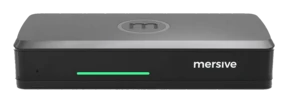
Polaris Essentials and Pro run the same software for sharing and room management. Essentials provides the shared workspace on the smaller chassis.
Strengths, limitations and sources
Strengths
Desktop guests can share through a browser without installing a client, subject to browser and network requirements; multiple sources join an automatically arranged workspace.
Sources (8)
What You NeedOpening paragraph; Recommended BrowsersReviewed · Manufacturer source
Mersive Release NotesSeptember 2026: New - Microsoft Teams; Built for What's Next; Mobile sharing is easier to find; August 2026: Bulk Device Information EndpointReviewed · Manufacturer source
Manual rearrangement and workspace annotation are not released; targets are Q4 2026 and Q1 2027, respectively. These are planning targets, not committed release dates.
Polaris workspace roadmapPlanned workspace controls; product-owner confirmation on 4 October 2026Reviewed · Mersive specification
Configuration notes and sources (3)
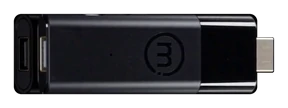
Around 5 simultaneous workspace sources is the practical memory limit. Wireless BYOM through the appliance requires Pro. The separate Host is pre-launch; its planned Essentials configuration cables peripherals to Host.
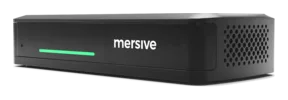
Polaris Essentials and Pro run the same software for sharing and room management. Pro adds room-peripheral connections, wired content input and dual display output.
Strengths, limitations and sources
Strengths
Desktop browser sharing, subject to browser and network requirements, supports an automatically arranged workspace with a practical memory limit of around 10 sources.
Sources (9)
What You NeedOpening paragraph; Recommended BrowsersReviewed · Manufacturer source
Mersive Link runs Teams on Pro while the laptop provides meeting controls; cloud tools manage configuration, updates and usage reporting.
Sources (8)
Polaris hybrid meetingsLink: true wireless BYOM; Which platforms does it supportReviewed · Mersive specification
Polaris hybrid meetingsHost: the room hosts the meeting.; Host + Polaris Pro; Host + Polaris EssentialsReviewed · Mersive specification
Mersive Release NotesSeptember 2026: New - Microsoft Teams; Built for What's Next; Mobile sharing is easier to find; August 2026: Bulk Device Information EndpointReviewed · Manufacturer source
Mersive Release NotesSeptember 2026: New - Microsoft Teams; Built for What's Next; Mobile sharing is easier to find; August 2026: Bulk Device Information EndpointReviewed · Manufacturer source
Link supports Teams today, with Zoom and Webex expected by the end of 2026, and still needs the laptop control surface. No-laptop operation with the separate Host remains pre-launch.
Sources (3)
Polaris hybrid meetingsLink: true wireless BYOM; Which platforms does it supportReviewed · Mersive specification
Polaris hybrid meetingsHost: the room hosts the meeting.; Host + Polaris Pro; Host + Polaris EssentialsReviewed · Mersive specification
Mersive Release NotesSeptember 2026: New - Microsoft Teams; Built for What's Next; Mobile sharing is easier to find; August 2026: Bulk Device Information EndpointReviewed · Manufacturer source
Manual rearrangement and workspace annotation are not released; targets are Q4 2026 and Q1 2027, respectively. These are planning targets, not committed release dates.
Polaris workspace roadmapPlanned workspace controls; product-owner confirmation on 4 October 2026Reviewed · Mersive specification
Configuration notes and sources (4)
Around 10 simultaneous workspace sources is the practical memory limit. Link supports Teams today. Zoom and Webex are expected by the end of 2026, with Meet and others expected in Q1 2027. Link retains the laptop as a control surface; Host is a separate, pre-launch addition.
License overviewFeatures by license: Screen sharing > Share from browser (Unlicensed column); edited 27 October 2026Reviewed · Manufacturer source
Airtame 3: Our most powerful deviceFAQs: Do I need a subscription to use the Airtame 3?; What is included in the Airtame Core and Airtame Hybrid plans?Reviewed · Manufacturer source
Terms of ServiceDefinitions: Limited ServicesReviewed · Manufacturer source
Limitations and dependencies
Core does not include Hybrid conferencing entitlements; the subscription must match the intended meeting workflow.
Airtame 3 + Core data sheet (September 2026 file)PDF p. 3: Software Specifications; p. 4: Hardware Specifications, model AT-DG3-CORE-3Y (September 2026 file; same page layout)Reviewed · Manufacturer source
License overviewWhat hardware can use what licenses?; Features by license: Remote management, Screen sharing and Hybrid conferencingReviewed · Manufacturer source
Airtame 3: Our most powerful deviceFAQs: Do I need a subscription?; What is the license cost after the 3 years?Reviewed · Manufacturer source
Terms of ServiceSection 2.5 Replacement of Faulty Devices, 2.5.2 (default warranty period); Definitions: Limited ServicesReviewed · Manufacturer source
License overviewFeatures by license: Unlicensed column; edited 27 October 2026Reviewed · Manufacturer source
Airtame's August 2026 article lists Miracast and AirPlay as beta on Airtame 3, and a Google Cast release is not established. Check the current firmware before relying on native casting.
Core and Hybrid have different conferencing entitlements. Airtame's August 2026 article lists Miracast and AirPlay as beta on Airtame 3, and a Google Cast release is not established. Confirm subscription scope where the FAQ and license overview differ, and the warranty term where the datasheet and Terms of Service differ.
License overviewWhat hardware can use what licenses?; Features by license: Remote management, Screen sharing and Hybrid conferencingReviewed · Manufacturer source
Airtame 3 with Hybrid runs calls on the room device and supports Teams, Zoom, Google Meet and Webex, alongside sharing and signage.
Strengths, limitations and sources
Strengths
Runs supported Teams, Zoom, Google Meet and Webex calls on the room device, alongside presentation and signage.
Sources (4)
Airtame 3: Our most powerful deviceDual-screen support; FAQs on call hosting, shared management and the three-year license bundleReviewed · Manufacturer source
License overviewWhat hardware can use what licenses?; Features by license: Remote management, Screen sharing and Hybrid conferencingReviewed · Manufacturer source
License overviewFeatures by license: Screen sharing > Share from browser (Unlicensed column); edited 27 October 2026Reviewed · Manufacturer source
Airtame 3: Our most powerful deviceFAQs: Do I need a subscription to use the Airtame 3?; What is included in the Airtame Core and Airtame Hybrid plans?Reviewed · Manufacturer source
Terms of ServiceDefinitions: Limited ServicesReviewed · Manufacturer source
Airtame 3: Our most powerful deviceDual-screen support; FAQs on call hosting, shared management and the three-year license bundleReviewed · Manufacturer source
Limitations and dependencies
Conferencing depends on the Hybrid entitlement and supported room peripherals; Core and Hybrid are not interchangeable licenses.
Sources (9)
Airtame 3: Our most powerful deviceDual-screen support; FAQs on call hosting, shared management and the three-year license bundleReviewed · Manufacturer source
License overviewWhat hardware can use what licenses?; Features by license: Remote management, Screen sharing and Hybrid conferencingReviewed · Manufacturer source
Airtame 3: Our most powerful deviceFAQs: Do I need a computer in the room to run the video call?; What video conferencing platforms are supported?; switching Core to HybridReviewed · Manufacturer source
Airtame 3 + Hybrid data sheet (September 2026 file)PDF pp. 2–3: conferencing workflow and Video conferencing; p. 4: model AT-DG3-HYBRID-3Y (September 2026 file; same page layout)Reviewed · Manufacturer source
Airtame 3: Our most powerful deviceFAQs: Do I need a subscription?; What is the license cost after the 3 years?Reviewed · Manufacturer source
Terms of ServiceSection 2.5 Replacement of Faulty Devices, 2.5.2 (default warranty period); Definitions: Limited ServicesReviewed · Manufacturer source
License overviewFeatures by license: Unlicensed column; edited 27 October 2026Reviewed · Manufacturer source
Airtame's August 2026 article lists Miracast and AirPlay as beta on Airtame 3, and the FAQ and license overview differ on sharing after the subscription expires.
License overviewFeatures by license: Screen sharing > Share from browser (Unlicensed column); edited 27 October 2026Reviewed · Manufacturer source
Airtame 3: Our most powerful deviceFAQs: Do I need a subscription to use the Airtame 3?; What is included in the Airtame Core and Airtame Hybrid plans?Reviewed · Manufacturer source
Terms of ServiceDefinitions: Limited ServicesReviewed · Manufacturer source
Configuration notes and sources (5)
Core and Hybrid have different conferencing entitlements. Airtame's August 2026 article lists Miracast and AirPlay as beta on Airtame 3, and a Google Cast release is not established. Confirm subscription scope where the FAQ and license overview differ, and the warranty term where the datasheet and Terms of Service differ.
License overviewWhat hardware can use what licenses?; Features by license: Remote management, Screen sharing and Hybrid conferencingReviewed · Manufacturer source
The C-10 specification footnotes Miracast as depending on configuration and available in future firmware updates, and Google Cast has firmware-specific exceptions. Official digital-signage support has been withdrawn.
It does not connect room webcams or speakerphones to a laptop. Confirm the generation, Button bundle and native-protocol configuration when specifying a room. Firmware 2.27 has native-sharing exceptions, and official digital-signage support has been withdrawn.
ClickShare CX-30 firmwarev2.27.0.5, 10 September 2026: Known issues and upgrade restrictions; the September Cast warning belongs to older v2.26 historyReviewed · Manufacturer source
ClickShare CX-30 firmwarev2.27.0.5, 10 September 2026: Known issues and upgrade restrictions; the September Cast warning belongs to older v2.26 historyReviewed · Manufacturer source
The specification covers original and Gen2 hardware. Windows bulk deployment of the desktop app uses an MSI package with administrator privileges; Barco also documents individual installation without administrator rights. Confirm the generation and deployment method. Firmware 2.27 has native-sharing exceptions; digital signage remains present without official support.
ClickShare CX-30 firmwarev2.27.0.5, 10 September 2026: Known issues and upgrade restrictions; the September Cast warning belongs to older v2.26 historyReviewed · Manufacturer source
ClickShare program brochure, November 2025PDF p. 3: ClickShare Conference table, Wired connection for 4K content, room peripherals and laptop charging; Automatic switch between room system and BYOMReviewed · Manufacturer source
ANSSI's CSPN certification (ANSSI-CSPN-2026/15) covers CX-50 Gen2 with specified base-unit, Button and app versions. It evaluates security functions such as access control, secure communications, logging and secure update; content sharing, conferencing, native casting, cloud management and several other functions are outside the evaluated scope.
Sources (1)
ANSSI-CSPN-2026/15 certification reportPages 3-4 and 7-8: CX-50 Gen2 identity, evaluated versions and scope; page 12: certification conclusionReviewed · Independent registry
Limitations and dependencies
The on-screen limit is two sources; its larger connected-user capacity does not increase that limit.
Its two-source display limit is distinct from its 32-user connection capacity. The wired input uses USB-C DisplayPort and is specified at 4K30. Touchback requires a single-display configuration; native sharing has firmware-specific exceptions.
Requires Teams Rooms licensing. When read on 5 October 2026, Barco's known-issues page conflicted with its BYOD instructions, so the deployed firmware matters.
Both Hub models specify one shared content source. Barco publishes wireless BYOD instructions, but its known-issues page conflicts with that guidance; confirm the deployed firmware and peripherals.
ClickShare Hub Pro is a Microsoft Teams Rooms component with wireless content sharing. Two next-generation ClickShare Buttons are included.
Strengths, limitations and sources
Strengths
Combines native Teams Rooms on Android, in Microsoft-certified bundles, with dual displays and wireless content sharing through next-generation Buttons.
Requires Teams Rooms licensing. When read on 5 October 2026, Barco's known-issues page conflicted with its BYOD instructions, so the deployed firmware matters.
Both Hub models specify one shared content source. Barco publishes wireless BYOD instructions, but its known-issues page conflicts with that guidance; confirm the deployed firmware and peripherals.
Display outputs duplicate the presentation. DMS Cloud enrollment remains marked for Q4 2026 firmware in BenQ's FAQ, and a released DMS firmware was not found as of 1 November 2026.
Sources (5)
BenQ InstaShow VS25 user manualPage 25: Connecting the Receiver; BenQ URL returned HTTP 404 on 1 November 2026Reviewed · Manufacturer source
BenQ WDC25 support: enabling DMS CloudHow do I enable my InstaShow device to be managed by DMS Cloud? Both VS25 and WDC25 named; coming Q4 2026, firmware 1.50.00Reviewed · Manufacturer source
BenQ VS25 FAQHow do I enable my InstaShow device to be managed by DMS Cloud? Supported models; "Coming Soon - Q4 2026 (Firmware Version: 1.50.00)"Reviewed · Manufacturer source
Supports four simultaneous presenters. HDMI and USB-C display outputs duplicate the presentation. Conferencing requires the supplied Host Button and Multimedia Hub; this capability does not extend to WDC25.
BenQ InstaShow VS25BYOM setup, 4-Way Split Screen and Find the Best InstaShow for YouReviewed · Manufacturer source
BenQ InstaShow VS25 user manualPrinted pages 25, 34–36 and 40–42: Connecting the Receiver, split screen and Wireless conferencing (BYOM)Reviewed · Manufacturer source
BenQ lists BYOM as unavailable on WDC25; its conferencing model is VS25.
Sources (1)
BenQ InstaShow WDC25Find the Best InstaShow for You: BYOMReviewed · Manufacturer source
DMS Cloud remains marked as coming in Q4 2026 with firmware 1.50.00 in BenQ's FAQ, and a released DMS firmware was not found as of 1 November 2026.
Sources (3)
BenQ WDC25 support: enabling DMS CloudHow do I enable my InstaShow device to be managed by DMS Cloud? Both VS25 and WDC25 named; coming Q4 2026, firmware 1.50.00Reviewed · Manufacturer source
BenQ WDC25 FAQHow do I enable my InstaShow device to be managed by DMS Cloud? Supported models; "Coming Soon - Q4 2026 (Firmware Version: 1.50.00)"Reviewed · Manufacturer source
BenQ's lineup table lists BYOM as unavailable on WDC25. Its model-specific FAQ marks DMS Cloud as coming in Q4 2026 with firmware 1.50.00; confirm release availability before deployment.
BenQ VS25 and WDC25 DMS availability FAQHow do I enable my InstaShow device to be managed by DMS Cloud? Supported models; Q4 2026 and firmware 1.50.00 footnoteReviewed · Manufacturer source
Assessment updated . Source review dates are listed with each citation.
Video bar with integrated camera, microphones and speakers. Supports RoomOS, a configured Teams Rooms mode and Zoom, through the Zoom app experience or, from RoomOS 26.10, Zoom Rooms on Cisco devices.
Strengths, limitations and sources
Strengths
Combines camera, microphones and speakers with RoomOS, a configured Teams Rooms mode and Zoom options that include, from RoomOS 26.10, Zoom Rooms on Cisco devices.
Conferencing depends on laptop, connection method and firmware. Canvas limits vary by sharing method, and current technical pages disagree on ChromeOS composition. Guest-interface services also have restrictions.
DisplayNote's sharing software runs on supported Windows and Android receivers. It offers browser access, cloud connections and a moderated grid of up to nine presenters.
Strengths, limitations and sources
Strengths
Provides browser access and cloud connections for supported Windows and Android receivers.
Extended Gridview requires Moderator Mode and cannot be used with Broadcast to display. Receiver hardware and operating-system support must be assessed separately.
System requirementsSupported Operating Systems for Montage receiver (Windows)Reviewed · Manufacturer source
Central Management Has ArrivedScreen Sharing 4.58, released 28 September 2026; central management; Improvements and FixesReviewed · Manufacturer source
Miracast needs the optional WFA 100 adapter, and built-in web signage needs a LinkLicense.
Sources (3)
ShareLink Pro 2500 brochure, Rev.APage 3: Features, AirPlay, Miracast accessory, mobile sharing, moderator mode and WebView; page 4: enterprise functionsReviewed · Manufacturer source
ShareLink Pro 2500 user guide, Rev.BPrinted page 50: Digital Signage Feature; PCS v4.10.5 or later and LinkLicense required; manufacturer-indexed passageReviewed · Manufacturer source
Four displayed sources include HDMI content. WebShare and ConferenceShare have browser/OS requirements; Miracast needs the optional WFA 100 and Active Learning needs LinkLicense.
Wireless access to room peripherals requires the VIA Room Driver, and one Kramer manual limits its audio procedure to Campus² PLUS. The PLUS model also adds the HDMI input.
Kramer lists Connect² as discontinued; this does not establish a software-support end date. Kramer documents disagree on resolution: the rev. 5 manual gives 4K30 input and output, regional pages list 4K60, and the March 2026 VIA manual notes 1920×1080 with one display. Confirm the supported rate for the intended unit; Connect3 has separate specifications.
Kramer VIA Connect² product pageProduct status, General and Power; indexed manufacturer text reviewedReviewed · Manufacturer source
Compact presentation receiver with four-source sharing and wireless access to room peripherals through a driver.
Strengths, limitations and sources
Strengths
Combines four-source presentation with whiteboard, file sharing and viewing room content on participant devices.
Sources (6)
Kramer VIA CONNECT3 product pageKey Features and Specifications; indexed manufacturer text reviewed, direct retrieval returned 403Reviewed · Manufacturer source
Kramer VIA Connect3 product pageComprehensive Collaboration Functionality: View Main Display; indexed OEM text inspected; direct retrieval unavailableReviewed · Manufacturer source
The VIA driver gives a laptop wireless access to room camera and audio; Teams and Zoom are listed as tested.
Sources (3)
Kramer VIA CONNECT3 product pageKey Features and Specifications; indexed manufacturer text reviewed, direct retrieval returned 403Reviewed · Manufacturer source
Wireless conferencing requires the VIA driver, while VSM on Cloud is a separate management subscription.
Sources (7)
Kramer VIA CONNECT3 product pageKey Features and Specifications; indexed manufacturer text reviewed, direct retrieval returned 403Reviewed · Manufacturer source
Kramer VSM on CloudCentralized Management, Automated Maintenance and Configurations; indexed manufacturer text reviewed, direct retrieval returned 403Reviewed · Manufacturer source
Kramer Electronics limited warranty, April 2025Sections 1, 3, 4 and 10: coverage, duration, original purchaser and purchase conditions; indexed OEM text inspected; direct retrieval unavailableReviewed · Manufacturer source
Action Tiles open Teams and Zoom web apps on the room display, but a room-hosted meeting using room camera and audio is not documented. Supported browser versions for browser joining are not specified.
Sources (4)
Kramer VIA CONNECT3 product pageProduct highlights; Third Party Web Applications; Optimized for Video Conferencing; indexed OEM text inspected; direct retrieval unavailableReviewed · Manufacturer source
The product page lists one HDMI output and 4K30 input and output; Kramer's March 2026 manual also documents a dual-screen setting for Connect3. VSM on Cloud is a separate management subscription. Wireless use of room peripherals requires the VIA Room Driver.
Kramer VIA CONNECT3 product pageKey Features and Specifications; indexed manufacturer text reviewed, direct retrieval returned 403Reviewed · Manufacturer source
Kramer VSM on CloudCentralized Management, Automated Maintenance and Configurations; indexed manufacturer text reviewed, direct retrieval returned 403Reviewed · Manufacturer source
Assessment updated . Source review dates are listed with each citation.
Teams meeting software for certified Android room appliances. Hardware and supported functions vary by OEM device.
Strengths, limitations and sources
Strengths
Provides native Teams meetings and administrator-enabled third-party joining through supported WebRTC or SIP configurations.
Sources (2)
Third-party meetings on Teams RoomsStep 1: supported-functionality table (Teams Rooms license, SIP paid dialing plan, direct internet access rows); Step 4: Teams Rooms on Android tabReviewed · Manufacturer source
Microsoft Teams Rooms licensesMeeting join table: Direct Guest Join for Zoom and Webex meetings (Basic and Pro)Reviewed · Manufacturer source
Compatible appliances can also expose room camera and audio to a laptop, as documented for Cisco Room Bar over USB-C.
Sources (2)
Cisco Room Bar Data SheetTable 3: USB-C passthrough BYOD mode; Table 4: USB passthrough, both Teams Rooms columnsReviewed · Manufacturer source
Teams Rooms on Android certified devicesCertified devices table: Logitech Rally Bar (VR0019); Logitech Tap IP Touch console (VR0029)Reviewed · Manufacturer source
Rally Bar + Tap IP bundle data sheetPage 3: Tap IP - General, PoE cabling; page 4: Rally Bar - Power & Cables and appliance-mode compatibility. Published September 2022.Reviewed · Manufacturer source
Microsoft excludes Android from its Teams Rooms Miracast feature. OEM sharing extensions require separate evidence.
Specify the certified model and license. Microsoft excludes Android from its Teams Rooms Miracast feature; OEM sharing extensions need separate review.
Microsoft Teams Rooms licensesTeams Rooms Basic and Pro descriptions; license service plan and feature comparison tablesReviewed · Manufacturer source
Meeting-room software for certified Windows systems
Teams meeting software for certified Windows room systems, with local sharing and configured third-party meeting access.
Strengths, limitations and sources
Strengths
Provides native Teams meetings, local content sharing and configured access to supported third-party meetings.
Sources (4)
Third-party meetings on Teams RoomsStep 1: supported-functionality table (Teams Rooms license, SIP paid dialing plan, direct internet access rows); Step 4: Teams Rooms on Windows tabReviewed · Manufacturer source
Microsoft Teams Rooms licensesMeeting join table: Direct Guest Join for Zoom and Webex meetings (Basic and Pro)Reviewed · Manufacturer source
Logitech Swytch data sheetPage 1: laptop connection to room display, camera and audio; page 2: System Requirements and Room Solutions. Published April 2022.Reviewed · Manufacturer source
Teams Rooms certified systems and peripheralsTeams Rooms for Windows: Lenovo ThinkSmart Core Gen 2 kits; Logitech Tap with Lenovo ThinkSmart Core Gen 2Reviewed · Manufacturer source
Limitations and dependencies
Basic and Pro licenses differ, and hardware, support and peripheral costs must be assessed for the complete room.
Logitech Swytch data sheetPage 1: laptop connection to room display, camera and audio; page 2: System Requirements and Room Solutions. Published April 2022.Reviewed · Manufacturer source
Teams Rooms certified systems and peripheralsTeams Rooms for Windows: Lenovo ThinkSmart Core Gen 2 kits; Logitech Tap with Lenovo ThinkSmart Core Gen 2Reviewed · Manufacturer source
Teams Rooms Miracast is limited to supported all-in-one touch boards with Pro and administrator configuration.
Sources (1)
Miracast for Microsoft Teams RoomsWhat is Miracast for Teams Rooms?; Step 1: Confirm requirements; Step 2: Configure Miracast; User experienceReviewed · Manufacturer source
Configuration notes and sources (6)
Specify the OEM hardware and Basic or Pro license. Miracast is restricted to supported all-in-one touch boards with Pro.
Microsoft Teams Rooms licensesTeams Rooms Basic and Pro descriptions; license service plan and feature comparison tablesReviewed · Manufacturer source
MultiView is unavailable during BYOM. BrowserCast is unavailable in MultiView, MultiBeam or Conference mode and has a local Wi-Fi access-point restriction. Essential Tools are included; Administrative Tools are a licensed add-on.
Classroom sharing and campus-communications platform
Vivi combines classroom sharing, teacher controls and campus communications. A Display Box connects to an HDMI display; a separate Display App supports selected panels.
Strengths, limitations and sources
Strengths
Combines classroom sharing, teacher presentation controls and campus communications.
Sources (3)
Vivi Web AppBrowser/OS support; Unavailable features; Web App Compatibility MatrixReviewed · Manufacturer source
Browser sharing avoids a client installation; supported features and audio depend on the browser and operating system.
Sources (1)
Vivi Web AppBrowser/OS support; Unavailable features; Web App Compatibility MatrixReviewed · Manufacturer source
Limitations and dependencies
Split Screen cannot be combined with Multi-Display or Combined Rooms.
Sources (2)
3.16 Split ScreenFour-quadrant workflow; exclusion for Multi-Display Rooms and Combined RoomsReviewed · Manufacturer source
4. Give Student Controlaccess, preview, granting and removing control; split-screenReviewed · Manufacturer source
USB Passthrough is being retired and is limited to eligible existing organizations; it is not a new-deployment conferencing option.
Sources (2)
13. USB PassthroughWireless access to receiver-connected USB devices; laptop conferencing exampleReviewed · Manufacturer source
USB Passthrough Gradual Feature RetirementOrganizations with pre-existing activations; Organizations without any activations; End of Support LifeReviewed · Manufacturer source
Configuration notes and sources (7)
Split Screen excludes Multi-Display and Combined Rooms. USB Passthrough remains available only to eligible existing organizations; hardware coverage depends on the applicable agreement and replacement category.
ST4S Verify a BadgeVivi / VIVI INTERNATIONAL PTY LTD; Paid; framework 2023.1; Assessed 2023; AU/NZReviewed · Independent registry
Vivi CentralCentral administration, devices, groups and usage statisticsReviewed · Manufacturer source
USB Passthrough Gradual Feature RetirementOrganizations with pre-existing activations; Organizations without any activations; End of Support LifeReviewed · Manufacturer source
Assessment updated . Source review dates are listed with each citation.
Collaboration system with four-window presentation, room-based conferencing, recording and AV-over-IP classroom options.
Strengths, limitations and sources
Strengths
Combines four-window presentation with room-based Zoom, Teams and WebRTC conferencing, plus whiteboard and annotation tools. The product page ties the Teams client to the optional Microsoft 365 Feature Pack.
Sources (6)
Cynap Pro product sheetPDF p. 2: Max. no. of on-screen windowsReviewed · Manufacturer source
The MATRIX main-station role needs a Feature Pack. Its Gigabit Ethernet ports differ from the 2.5 GbE ports on Pure Next Gen. Laptop conferencing through vSolution App uses supported room cameras and audio devices; confirm laptop, network and peripheral requirements.
Cynap Pro product sheetPages 1–2: features and technical specificationsReviewed · Manufacturer source
vSolution Link ProRemote management feature list; Free and Premium tiers; cloud deploymentReviewed · Manufacturer source
vSolution App BYOM Quick GuidePage 1 General Information; pages 7–13 workflow and supported UVC/UAC peripheralsReviewed · Manufacturer source
Assessment updated . Source review dates are listed with each citation.
HDMI input, room conferencing and annotation require the Feature Pack in the network and help guides; the product sheet does not attach that condition to annotation.
Independent dual-display output is still footnoted "Available Q3 2026" and no firmware release through V2.00d records it; the V2.00d help guide describes the second HDMI output as a copy of the first. Laptop-hosted access to room peripherals is not documented for this model.
HDMI input, room conferencing and annotation require the optional Feature Pack in the network and help guides. Independent dual-display support is still listed as "Available Q3 2026"; the V2.00d help guide describes the second HDMI output as a copy of the first. The network guide also attaches a Feature Pack heading to native mirroring that the sheet and help guide do not.
The original RoomCast displays up to four sources with whiteboard and annotation tools. Yealink ended sales on 28 February 2025 and names RoomCast E2 as its replacement.
Strengths, limitations and sources
Strengths
Supports four-screen sharing, whiteboarding, annotation and remote control in the documented original-model configuration.
Sources (4)
RoomCast datasheetPDF pp. 1–2: sharing, collaboration and SpecificationsReviewed · Manufacturer source
Yealink RoomCast datasheetPDF pp. 1-2: Key Features, Presentation, Collaboration, Security Guarantee and Device ManagementReviewed · Manufacturer source
Yealink WPP30 datasheetPDF p. 1: Rich Collaboration Ways; touchscreen remote control and RoomCast pairingReviewed · Manufacturer source
Yealink states that the WPP30 and the PA20 (added for IP-BYOD in firmware 144.320.0.20) are both unavailable in the US market, which limits the documented laptop-conferencing routes there.
Yealink PA20Overview: footnote "*PA20 is unavailable in the United States market."Reviewed · Manufacturer source
Configuration notes and sources (3)
Wireless laptop conferencing is documented with WPP30 and compatible USB devices, and firmware 144.320.0.20 adds IP-BYOD with the PA20. Yealink states that both pods are unavailable in the US; lifecycle and accessory availability matter for existing deployments.
RoomCast E2 is an Android 14 sharing receiver with a four-way display and cloud management. Its support guide documents wireless use of room USB peripherals from a laptop.
Strengths, limitations and sources
Strengths
Combines four-way sharing and cloud management on the documented Android receiver.
Supports Yealink Digital Signage through YMCS and Appspace and, from firmware 333.320.0.17, Zoom Digital Signage.
Sources (4)
RoomCast E2: Digital SignageCustomize Digital Signage via YDS; Add Device to YMCS; Customize Digital Signage via AppspaceReviewed · Manufacturer source
Wireless BYOD requires the paired Pod, compatible UAC/UVC peripherals and the documented network setup. Yealink states that both pods named for E2, the WPP30 and PA20, are unavailable in the US market.
Sources (5)
Wireless IP BYODIntroduction; Before You Begin; Connect Yealink Presentation Pod to RoomCast E2; Enter BYOD; dated 9 March 2026Reviewed · Manufacturer source
Set Up a Yealink RoomCast E2Initialize Configuration > Set Up on the Display, steps 4–5: cloud service and platform choice; Set Up on the Web User Interface, 20 January 2026Reviewed · Manufacturer source
RoomCast E2: Wireless Content SharingShare Content via Yealink Wireless Presentation Pod; Miracast; AirPlay; YeaCast (download and installation), 9 March 2026Reviewed · Manufacturer source
Configuration notes and sources (4)
Wireless IP BYOD needs a paired Yealink Presentation Pod, compatible UAC/UVC peripherals and the documented network setup. E2 protocol support should be checked in its own guide; original RoomCast features do not automatically carry over.
Wireless IP BYODIntroduction; Before You Begin; Connect Yealink Presentation Pod to RoomCast E2; Enter BYOD; dated 9 March 2026Reviewed · Manufacturer source
Room Series Security White PaperPDF p. 4: Applicable Models includes RoomCast E2; sections 2.2 Secure Boot, 3.1 Android System Hardening, 3.3 Firmware Integrity Check and Digital Signature, 4.1–4.2 802.1XReviewed · Manufacturer source
Specify the complete hardware configuration. Sharing, display count, USB BYOD and lifecycle depend on that configuration; browser access also follows meeting policy.
Getting started with Zoom RoomsRequirements; Licensing; Set up your hardware; How to use the Zoom Rooms controllerReviewed · Manufacturer source
Zoom Rooms featuresFeature tables: Local share; Direct Guest Join (DGJ)Reviewed · Manufacturer source
Direct sharing in Zoom RoomsRequirements; How to use direct sharing without proximity detection (user): Web clientReviewed · Manufacturer source
Assessment updated . Source review dates are listed with each citation.
How to read the comparison
Reviewed . Individual source dates are shown with each citation.
Prepared by Mersive from manufacturer documentation and relevant partner sources. Findings apply to the named product and configuration. Every cell cites the documents used, including when those documents leave part of the answer unresolved. Published specifications are not independent performance tests.
The selected products represent different room architectures: presentation receivers, conferencing appliances and room-system software. Compare the complete configuration, including peripherals, licences and network requirements. Coverage is selective, not a census of the market; there is no overall ranking.
A browser sharing path, a laptop-hosted meeting and a meeting hosted by the room device are assessed separately.
Browser sharing means a URL-based sharing session without downloading or running an application or installing an extension. Native Google Cast is assessed under wireless sharing methods. Browser sharing through a meeting retains the meeting and permission requirements.
Citations identify the relevant section or page and the review date. Where documentation does not establish a capability, the cell explains what is documented and what remains unresolved. An unresolved finding does not mean the capability is absent.
Both files include every product, assessment and criterion, with the same qualifications, citations and review dates shown here.
Sharing and guest access
Sharing and guest access: 7 criteria by product
Comparison criteria
MersivePolaris Essentials
MersivePolaris Pro
AirtameAirtame 3 + Core
AirtameAirtame 3 + Hybrid
BarcoClickShare C-10
BarcoClickShare CX-30
BarcoClickShare CX-50 2nd generation
BarcoClickShare Hub Core
BarcoClickShare Hub Pro
BenQInstaShow VS25
BenQInstaShow WDC25
CiscoRoom Bar
CrestronAirMedia AM-3200-WF
DisplayNoteMontage / Screen Sharing
ExtronShareLink Pro 2500
KramerVIA Campus²
KramerVIA Connect²
KramerVIA CONNECT3
MicrosoftTeams Rooms on Android
MicrosoftTeams Rooms on Windows
ScreenBeam1100 Plus
ViviVivi Display Box
WolfVisionCynap Pro
WolfVisionCynap Pure (Next Gen)
YealinkRoomCast (original; end of sale)
YealinkRoomCast E2
ZoomZoom Rooms (hardware varies)
Wireless sharing methods
Browser sharing and the Mersive Connect mobile app; native AirPlay, Miracast and Google Cast subject to each protocol's device and network requirements.
Sources (1)
Sharing Content by ProtocolWeb Instructions; AirPlay; Android; Miracast; Google CastReviewed · Manufacturer source
Browser sharing and the Mersive Connect mobile app; native AirPlay, Miracast and Google Cast subject to each protocol's device and network requirements.
Sources (1)
Sharing Content by ProtocolWeb Instructions; AirPlay; Android; Miracast; Google CastReviewed · Manufacturer source
Desktop app, mobile app and browser sharing. Airtame's model article (19 August 2026) lists Miracast in public beta and AirPlay in private beta on Airtame 3. The September 2026 datasheet lists Miracast and AirPlay as native protocols and does not list Google Cast among them, although its security table still names Google Cast streaming encryption; a Google Cast release is not established.
Desktop app, mobile app and browser sharing. Airtame's model article (19 August 2026) lists Miracast in public beta and AirPlay in private beta on Airtame 3. The September 2026 datasheet lists Miracast and AirPlay as native protocols and does not list Google Cast among them, although its security table still names Google Cast streaming encryption; a Google Cast release is not established.
ClickShare CX-30 firmwarev2.27.0.5, 10 September 2026: Known issues and upgrade restrictions; the September Cast warning belongs to older v2.26 historyReviewed · Manufacturer source
Button, ClickShare apps, AirPlay, Miracast and Google Cast are listed. Firmware 2.27 has Cast client exceptions and a Miracast/Cast interaction issue.
DisplayNote documents its apps, browser sharing, AirPlay, Google Cast and Miracast. Protocol availability depends on the receiver hardware, operating system and configuration.
Kramer VIA CONNECT3 product pageKey Features and Specifications; indexed manufacturer text reviewed, direct retrieval returned 403Reviewed · Manufacturer source
Vivi apps and browser sharing, with platform-dependent capabilities. The browser path supports Windows, macOS, Linux and Chromebooks, but not iOS or Android mobile devices.
Sources (1)
Vivi Web AppBrowser/OS support; Unavailable features; Web App Compatibility MatrixReviewed · Manufacturer source
AirPlay, Miracast, Chromecast and vSolution Cast.
Sources (1)
Cynap Pro product sheetPDF p. 2: Supported mirroring protocolsReviewed · Manufacturer source
AirPlay, Miracast and Chromecast. The network guide heads its AirPlay, Miracast and Chromecast sections "with Feature Pack enabled", but its own Feature Pack list (printed p. 6) does not include mirroring, and the sheet and V2.00d help guide show no Feature Pack condition.
Yealink Presentation Pod, Miracast, AirPlay and Google Cast. YeaCast is supported in General Mode from firmware 144.320.0.20. WPP30 is unavailable in the US.
Sources (3)
RoomCast datasheetPDF pp. 1–2: sharing, collaboration and SpecificationsReviewed · Manufacturer source
Yealink YeaCast compatibilitySupported Devices for YeaCast: General Mode requirement; RoomCast Series firmware tableReviewed · Manufacturer source
The guide documents Yealink Pod, Miracast and AirPlay. YeaCast requires General Mode and firmware 333.320.0.10 or later. Google Cast is not established for E2.
Yealink YeaCast compatibilitySupported Devices for YeaCast: General Mode requirement; RoomCast Series firmware tableReviewed · Manufacturer source
Direct sharing, AirPlay and browser meeting sharing are documented. On supported Cisco devices running Zoom in guest or signed-in mode, Cisco lists Miracast and AirPlay in the RoomOS sharing menu.
Sources (3)
Sharing content in Zoom RoomsSharing method comparison; maximum resolution and framerateReviewed · Manufacturer source
Desktop browser sharing at app.mersive.com without a client install, using the display's screen key; the laptop and the device need access to Mersive's listed cloud hosts. Chrome is recommended and Edge and Firefox are supported; Safari is not guaranteed. Phones and tablets use the Mersive Connect app or a supported native casting method.
Sources (4)
What You NeedOpening paragraph; Recommended BrowsersReviewed · Manufacturer source
Desktop browser sharing at app.mersive.com without a client install, using the display's screen key; the laptop and the device need access to Mersive's listed cloud hosts. Chrome is recommended and Edge and Firefox are supported; Safari is not guaranteed. Phones and tablets use the Mersive Connect app or a supported native casting method.
Sources (4)
What You NeedOpening paragraph; Recommended BrowsersReviewed · Manufacturer source
Browser sharing at airtame.com/go uses an on-screen pairing code and needs the device and laptop to reach Airtame Cloud over HTTPS. The license overview (edited 27 October 2026) lists browser sharing without a license, while the product FAQ says an active subscription unlocks screen sharing; confirm entitlement after the bundled term.
License overviewFeatures by license: Screen sharing > Share from browser (Unlicensed column); edited 27 October 2026Reviewed · Manufacturer source
Airtame 3: Our most powerful deviceFAQs: Do I need a subscription to use the Airtame 3?; What is included in the Airtame Core and Airtame Hybrid plans?Reviewed · Manufacturer source
Terms of ServiceDefinitions: Limited ServicesReviewed · Manufacturer source
Browser sharing at airtame.com/go uses an on-screen pairing code and needs the device and laptop to reach Airtame Cloud over HTTPS. The license overview (edited 27 October 2026) lists browser sharing without a license, while the product FAQ says an active subscription unlocks screen sharing; confirm entitlement after the bundled term.
License overviewFeatures by license: Screen sharing > Share from browser (Unlicensed column); edited 27 October 2026Reviewed · Manufacturer source
Airtame 3: Our most powerful deviceFAQs: Do I need a subscription to use the Airtame 3?; What is included in the Airtame Core and Airtame Hybrid plans?Reviewed · Manufacturer source
Terms of ServiceDefinitions: Limited ServicesReviewed · Manufacturer source
The reviewed guide documents Google Cast from Chrome, rather than a URL-based browser joining service.
ClickShare CX-30 firmwarev2.27.0.5, 10 September 2026: Known issues and upgrade restrictions; the September Cast warning belongs to older v2.26 historyReviewed · Manufacturer source
The reviewed guide documents Google Cast from Chrome, rather than a URL-based browser joining service.
The documented Chrome workflow uses Cast to the receiver. A URL-based sharing session without an application or extension was not established.
Sources (2)
BenQ InstaShow VS25 user manualPrinted pages 38–39: BYOD network prerequisite; page 39: Presenting with a PC via Chrome browser; BenQ URL returned HTTP 404 on 1 November 2026Reviewed · Manufacturer source
Users can choose Join through Browser on the room's welcome page instead of installing the VIA app; Kramer documents this for Chrome and Chromebook, and its 2026 manual also for Windows and macOS. Kramer recommends the app for best performance, and the manual's outbound-port table lists connections to turn1.wowvision.com and cb.wowvision.com for "Chrome support". Supported browser versions are not specified.
Users can choose Join through Browser on the room's welcome page instead of installing the VIA app; Kramer documents this for Chrome and Chromebook, and its 2026 manual also for Windows and macOS. Kramer recommends the app for best performance, and the manual's outbound-port table lists connections to turn1.wowvision.com and cb.wowvision.com for "Chrome support". Supported browser versions are not specified.
Users can choose Join through Browser on the room's welcome page instead of installing the VIA app; Kramer's 2026 manual documents browser use for Windows, macOS and Chrome on ChromeOS. Kramer recommends the app for best performance, and the manual's outbound-port table lists connections to turn1.wowvision.com and cb.wowvision.com for "Chrome support". Supported browser versions are not specified.
BrowserCast on firmware 11.x.19.0+ requires a supported desktop browser and Internet. It is unavailable in MultiView, MultiBeam or Conference mode; the support article also lists a local Wi-Fi access-point restriction.
Browser sharing without installation; supported features and audio vary by browser and OS. USB passthrough and extended desktop are unavailable in this path.
Sources (1)
Vivi Web AppBrowser/OS support; Unavailable features; Web App Compatibility MatrixReviewed · Manufacturer source
Browser control and Live Viewer reception are documented. A URL-based session that sends the laptop screen to Cynap Pro without a client or extension was not established.
A URL-based sharing session without an installed client is not established. The guide documents Yealink Pod, Miracast, AirPlay and the installed YeaCast application; its browser interface is for administration.
Sources (2)
RoomCast E2: Wireless Content SharingShare Content via Yealink Wireless Presentation Pod; Miracast; AirPlay; YeaCast (download and installation), 9 March 2026Reviewed · Manufacturer source
Set Up a Yealink RoomCast E2Initialize Configuration > Set Up on the Display, steps 4–5: cloud service and platform choice; Set Up on the Web User Interface, 20 January 2026Reviewed · Manufacturer source
The direct-sharing guide provides a browser-only meeting route, subject to browser permissions and meeting policy.
The September 2026 datasheet lists AirPlay, and the network guide gives AirPlay ports for Airtame 3. Airtame's model article (19 August 2026) still shows AirPlay in private beta, with public beta expected in August; general release is not established.
The September 2026 datasheet lists AirPlay, and the network guide gives AirPlay ports for Airtame 3. Airtame's model article (19 August 2026) still shows AirPlay in private beta, with public beta expected in August; general release is not established.
BenQ InstaShow VS25 user manualPrinted pages 38-39: Presenting with mobile devices (BYOD); BenQ URL returned HTTP 404 on 1 November 2026Reviewed · Manufacturer source
AirPlay is configurable in RoomOS. In Teams mode, Cisco requires MTRShareExperience to be set to RoomOS; discovery and network access must be configured.
Native AirPlay screen mirroring is documented for compatible Apple devices. Firmware 3.0900.0143 (8 September 2026) fixes Screen Mirroring connection failures that followed the iOS, iPadOS and macOS 27 updates.
AirPlay sharing is documented for Apple devices when enabled on the receiver. Discovery and receiver configuration must support the connection.
Sources (1)
Present to Montage using AirplayiOS and Mac presentation steps; Considerations; Bluetooth (BLE) SupportReviewed · Manufacturer source
Native AirPlay mirroring is listed for compatible Apple devices.
Sources (2)
ShareLink Pro 2500 brochure, Rev.APage 3: Features, AirPlay, Miracast accessory, mobile sharing, moderator mode and WebView; page 4: enterprise functionsReviewed · Manufacturer source
ShareLink Pro 2500 Specifications, 6267-D3PDF p. 2: Native Screen Mirroring > Apple screen mirroring (iOS 15.0 and later, macOS 12.0 and later)Reviewed · Manufacturer source
AirPlay screen mirroring is supported; administrators can enable it and require the room code.
OEM-specific: Cisco permits AirPlay on its Teams-mode devices when MTRShareExperience is set to RoomOS. This does not establish AirPlay across all Android room appliances.
The Windows room guide documents Teams casting and wired sharing. Native AirPlay reception is not established as a Teams Rooms Windows capability in those instructions.
AirPlay is part of the documented Mac sharing workflow, initiated through Vivi. This does not establish unrestricted, app-free discovery of the Box as an AirPlay receiver.
Sources (1)
Vivi: Extended DisplayOn Mac; AirPlay (Screen Mirroring): begin sharing through Vivi before selecting AirPlayReviewed · Manufacturer source
AirPlay is supported; discovery and access depend on network and PIN settings.
AirPlay is listed. The product sheet and V2.00d help guide show no Feature Pack condition; the network guide heads its AirPlay section "with Feature Pack enabled", although its Feature Pack list does not include mirroring.
RoomCast E2: Basic SettingsScreen Cast: protocol switches, Cast from WAN Port, PIN Validation and PIN ValidityReviewed · Manufacturer source
Apple screen mirroring is documented for Windows and macOS rooms with administrator enablement and permitted network discovery. Cisco also lists AirPlay on supported Cisco devices running Zoom in guest or signed-in mode.
Windows users can select the display through Windows + K. Miracast on Essentials (Gen 4 Mini) depends on the May 2026 or later release, which fixed a hardware-level conflict. Device compatibility and network configuration apply.
Miracast is listed; the C-10 specification (19 June 2026) footnotes it: "depends on configuration, available in future firmware updates". Firmware 2.27 notes an availability issue during extended sessions when Google Cast is enabled.
ClickShare CX-30 firmwarev2.27.0.5, 10 September 2026: Known issues and upgrade restrictions; the September Cast warning belongs to older v2.26 historyReviewed · Manufacturer source
Miracast is listed. Firmware 2.27 notes an availability issue during extended sessions when Google Cast is enabled.
BenQ InstaShow VS25 user manualPrinted pages 38-39: Windows casting workflow; BenQ URL returned HTTP 404 on 1 November 2026Reviewed · Manufacturer source
Miracast is supported on compatible receivers. Android requires version 11+ and system-level permissions; infrastructure mode depends on the display vendor's firmware integration.
DisplayNote Screen Sharing / MontageFor IT and AV teams; Control for the person running the room; Interaction from the display; MiracastReviewed · Manufacturer source
Miracast uses the optional ShareLink Pro WFA 100 adapter.
Sources (1)
ShareLink Pro 2500 brochure, Rev.APage 3: Features, AirPlay, Miracast accessory, mobile sharing, moderator mode and WebView; page 4: enterprise functionsReviewed · Manufacturer source
Native Miracast is documented for compatible Windows and Android devices, for up to two users at a time. When the built-in Wi-Fi runs in access-point or client mode, Kramer requires a separately purchased VIAcast dongle for Miracast.
Sources (3)
Kramer VIA Campus2 product pageProduct Description: Windows and Android mirroring via MiracastReviewed · Manufacturer source
Miracast is documented for Windows and compatible Android devices, for up to two users at a time. Built-in Wi-Fi and Miracast cannot be active at the same time; when the built-in Wi-Fi runs in access-point or client mode, Kramer specifies a separately purchased VIAcast dongle for Miracast.
Available on supported all-in-one Windows touch boards with Pro and administrator enablement. Console-based Windows room systems are excluded from Microsoft's current feature.
Sources (1)
Miracast for Microsoft Teams RoomsWhat is Miracast for Teams Rooms?; Step 1: Confirm requirements; Step 2: Configure Miracast; User experienceReviewed · Manufacturer source
Native Miracast supports compatible Windows and Android devices, including a peer-to-peer connection path.
Vivi documents its client applications and browser-based WebRTC sharing. A native Miracast receiver workflow on the Display Box is not established by the reviewed guides.
Sources (2)
Vivi: How to Get ViviThe Vivi App; supported platforms; The Vivi Web AppReviewed · Manufacturer source
Miracast (peer-to-peer and MICE) is listed. The product sheet and V2.00d help guide show no Feature Pack condition; the network guide heads its Miracast section "with Feature Pack enabled", although its Feature Pack list does not include mirroring.
Miracast is documented, including PIN authentication and Windows extended-desktop use.
Sources (1)
Yealink RoomCast datasheetPDF pp. 1-2: Key Features, Presentation, Collaboration, Security Guarantee and Device ManagementReviewed · Manufacturer source
Supported Windows and Android devices can use Miracast. The E2 guide states that enabling its Wi-Fi connection disables Miracast; check the intended network mode.
Hardware-specific: Cisco lists Miracast on supported Cisco devices running Zoom in guest or signed-in mode. Zoom's own sharing comparison does not list Miracast, so this does not establish native Miracast on every Zoom Room.
Airtame's model article targeted a Google Cast public beta on Airtame 3 for October 2026. The September 2026 datasheet no longer lists Google Cast among native protocols, although its security table still names Google Cast streaming encryption; no release is established in the reviewed documentation.
Airtame 3 + Core data sheet (September 2026 file)PDF p. 3: Software Specifications > Screen sharing (native protocols: Miracast, AirPlay); PDF p. 4: Security (Streaming Encryption)Reviewed · Manufacturer source
Airtame's model article targeted a Google Cast public beta on Airtame 3 for October 2026. The September 2026 datasheet no longer lists Google Cast among native protocols, although its security table still names Google Cast streaming encryption; no release is established in the reviewed documentation.
ClickShare CX-30 firmwarev2.27.0.5, 10 September 2026: Known issues and upgrade restrictions; the September Cast warning belongs to older v2.26 historyReviewed · Manufacturer source
Google Cast is listed. Firmware 2.27 excludes Google Pixel phones and Microsoft Edge 149.0.4022.80.
BenQ InstaShow VS25 user manualPrinted page 39: Android and Chrome casting instructions; BenQ URL returned HTTP 404 on 1 November 2026Reviewed · Manufacturer source
Chromebook and Chrome-browser joining are documented. Kramer's March 2026 VIA manual also names Chromecast in its user-mode overview, but its presentation settings and the Campus² manual cover only AirPlay, Miracast and browser joining. A native Google Cast receiver is not established.
Sources (2)
Kramer VIA Campus2 quick start, rev. 5For User, step 2: Chromebook or Chrome Browser; indexed OEM text inspected; direct retrieval unavailableReviewed · Manufacturer source
Chromebook and browser joining are documented. Kramer's March 2026 VIA manual also names Chromecast in its user-mode overview, but its presentation settings and the Connect² manual cover only AirPlay, Miracast and browser joining. A native Google Cast receiver is not established.
Sources (2)
Kramer VIA Connect2 product pageProduct Description and Clientless Connectivity; indexed OEM text inspected; direct retrieval unavailableReviewed · Manufacturer source
Browser joining is listed. Kramer's March 2026 VIA manual also names Chromecast in its user-mode overview, but its presentation settings and Kramer's Connect3 announcement cover only AirPlay, Miracast and browser joining. A native Google Cast receiver is not established.
Sources (2)
Kramer VIA Connect3 product pageProduct Description; Key Features: Clientless Connectivity; indexed OEM text inspected; direct retrieval unavailableReviewed · Manufacturer source
Chromebook and browser users have a Vivi WebRTC sharing path. Native Google Cast reception by the Display Box is not established; Chromecast-hosted Display App deployments are separate.
Chromecast is listed. The product sheet and V2.00d help guide show no Feature Pack condition; the network guide heads its Chromecast section "with Feature Pack enabled", although its Feature Pack list does not include mirroring. The help guide notes that Chromecast receivers need internet access to update certificates.
Zoom's sharing comparison lists direct sharing, share.zoom.us, AirPlay and HDMI. Native Google Cast reception is not established there; OEM extensions require separate review.
ClickShare mobile applications are listed for iOS and Android; the C-10 specification footnotes both mobile app lines with "depends on configuration, available in future firmware updates". Client OS requirements apply.
The specification lists the ClickShare App for desktop only, and Barco's known-issues note requires a next-generation Button for app-based sharing. Direct mobile-app sharing is not established.
The specification lists the ClickShare App for desktop only, and Barco's known-issues note requires a next-generation Button for app-based sharing. Direct mobile-app sharing is not established.
Mobile sharing uses native mirroring; Android instructions specify Google Home rather than a proprietary InstaShow app.
Sources (2)
BenQ InstaShow VS25 user manualPrinted pages 38-39: Apple, Windows and Android mobile-device workflows; BenQ URL returned HTTP 404 on 1 November 2026Reviewed · Manufacturer source
Dedicated iPhone, iPad and Android apps support sharing across networks. Check the current system requirements: older individual app articles list different minimum Android versions.
Native sharing from iOS and Android is documented. A separate Yealink mobile sharing app for this receiver is not established.
Sources (1)
Yealink RoomCast datasheetPDF pp. 1-2: Key Features, Presentation, Collaboration, Security Guarantee and Device ManagementReviewed · Manufacturer source
The E2 guide uses native AirPlay on iPhone and Miracast on supported Android phones. A dedicated Yealink mobile sharing application is not established.
The Zoom mobile app can use Share Screen with the room's sharing key and meeting passcode; meeting sharing permissions apply.
Sources (1)
Direct sharing in Zoom RoomsRequirements; How to use direct sharing without proximity detectionReviewed · Manufacturer source
Guest access and admission controls
Browser guests enter the display's screen key. AirPlay and Miracast prompt for it unless an administrator turns that requirement off; Google Cast does not use the screen key. Administrators can disable each native casting protocol, and native casting requires the sender to be on the device's network.
Browser guests enter the display's screen key. AirPlay and Miracast prompt for it unless an administrator turns that requirement off; Google Cast does not use the screen key. Administrators can disable each native casting protocol, and native casting requires the sender to be on the device's network.
Guests can present with the next-generation USB-C Button's DisplayPort mode without installing software; the guest computer must support that connection.
Guests can present with the next-generation USB-C Button's DisplayPort mode without installing software; the guest computer must support that connection.
Standard in-room sharing does not require a user account. Session IDs, moderator approval and local-only connection settings govern access.
Sources (4)
DisplayNote Screen Sharing / MontageFor IT and AV teams; Control for the person running the room; Interaction from the display; MiracastReviewed · Manufacturer source
Guests and anonymous users can join Teams meetings when tenant and meeting policies permit; lobby settings control admission. Local app casting has separate sign-in requirements.
Sources (2)
Plan for Teams meetingsMeeting options for guests and external participants; Guest access for meetingsReviewed · Manufacturer source
Guests and anonymous users can join Teams meetings when tenant and meeting policies permit; lobby settings control admission. Local app casting has separate sign-in requirements.
Sources (2)
Plan for Teams meetingsMeeting options for guests and external participants; Guest access for meetingsReviewed · Manufacturer source
Teachers create room-specific guest codes lasting 30 minutes to 24 hours. Administrators can create longer or multi-room access; network reachability is still required.
Sources (1)
Vivi: Guest PresentersCreating a Guest Code; Logging In as a GuestReviewed · Manufacturer source
Open and Protected modes provide different admission rules; passwords or on-screen PINs can restrict access.
Administrators can enable PIN validation for AirPlay/Miracast, set its refresh interval and block casting from the office LAN. Pod and YeaCast access follow their own connection workflows.
Sources (2)
RoomCast E2: Basic SettingsScreen Cast: protocol switches, Cast from WAN Port, PIN Validation and PIN ValidityReviewed · Manufacturer source
Sharing can use a room key or meeting ID. When the room hosts a meeting, waiting-room, lock and participant-sharing controls govern admission and sharing.
Around 5 simultaneous workspace sources, limited by hardware memory; no enforced software source cap.
Sources (1)
How Polaris worksWhere a panel stops and the room silicon starts.; The memory ceilingReviewed · Mersive specification
Around 10 simultaneous workspace sources, limited by hardware memory; no enforced software source cap.
Sources (1)
How Polaris worksWhere a panel stops and the room silicon starts.; The memory ceilingReviewed · Mersive specification
The documented moderated workflow shows one presenter at a time; inviting the next presenter ends the current share. Standard sharing mirrors both displays. A simultaneous multi-presenter limit outside that workflow is not specified.
The documented moderated workflow shows one presenter at a time; inviting the next presenter ends the current share. Standard sharing mirrors both displays. A simultaneous multi-presenter limit outside that workflow is not specified.
Kramer VIA CONNECT3 product pageKey Features and Specifications; indexed manufacturer text reviewed, direct retrieval returned 403Reviewed · Manufacturer source
Capacity depends on the appliance. Cisco Room Bar supports two simultaneous local content sources in Teams mode outside a video meeting. That specification does not establish a two-source limit within a Teams meeting.
Sources (2)
Cisco Room Bar Data SheetTable 4: simultaneous content sources, both Microsoft Teams Rooms columnsReviewed · Manufacturer source
Microsoft documents sharing from a connected device, Teams casting, a content camera or Whiteboard. The reviewed Windows and hardware documentation does not establish a concurrent presenter count; multiple displays or input ports do not establish that capacity.
Multiple participants can share content at once, with automatic window sizing, a full-screen view that any sharer can switch on, and controls to disconnect participants. Manual rearrangement of shared content is planned for Q4 2026; workspace annotation is planned for Q1 2027. Neither planned capability is currently available. These are planning targets, not committed release dates.
Multiple participants can share content at once, with automatic window sizing, a full-screen view that any sharer can switch on, and controls to disconnect participants. Manual rearrangement of shared content is planned for Q4 2026; workspace annotation is planned for Q1 2027. Neither planned capability is currently available. These are planning targets, not committed release dates.
Two sources can appear side by side on one display or in clone mode, or on separate displays in extended mode. Touchback is limited to the single-display configuration.
One shared-content source; side-by-side sharing is not supported in the published limitations. Annotation and touch-display whiteboarding are also listed as unavailable.
One shared-content source; side-by-side sharing is not supported in the published limitations. With two displays, the documented arrangement separates the participant gallery and shared content. Annotation and touch-display whiteboarding are listed as unavailable.
Layout follows presenter count; a Button can switch its source to full screen.
Sources (2)
BenQ InstaShow VS25 user manualPages 34–36: split-screen and full-screen operation; BenQ URL returned HTTP 404 on 1 November 2026Reviewed · Manufacturer source
Canvas arranges shared content automatically and provides presenter controls. Video-quality mode limits sharing to one source; ChromeOS composition differs between the cited guides.
Whiteboard, file sharing, chat and View Main Display are listed.
Sources (3)
Kramer VIA CONNECT3 product pageKey Features and Specifications; indexed manufacturer text reviewed, direct retrieval returned 403Reviewed · Manufacturer source
The room console offers Gallery, Content + gallery, Content and Front row views. Some controls depend on the room license. These are meeting layouts rather than a freely arranged multi-presenter content workspace.
Presenters select a quadrant; teachers can preview, approve and revoke student presentation control.
Sources (2)
3.16 Split ScreenFour-quadrant workflow; exclusion for Multi-Display Rooms and Combined RoomsReviewed · Manufacturer source
4. Give Student Controlaccess, preview, granting and removing control; split-screenReviewed · Manufacturer source
Whiteboard, annotation, Live Viewer and vSolution COMPOSER.
Sources (1)
Cynap Pro product sheetPDF p. 2: Whiteboard and annotation; Live Viewer Mode; vSolution COMPOSERReviewed · Manufacturer source
Whiteboard, annotation and Live Viewer are listed. The network guide and V2.00d help guide place annotation in the optional Feature Pack, while the product sheet lists it without that condition.
A connected browser user can disconnect other participants. The guide describes moderation as being introduced in stages; it does not describe a teacher-only approval queue.
Sources (1)
ModerationDisconnect Users from a Display; staged introduction of moderationReviewed · Manufacturer source
A connected browser user can disconnect other participants. The guide describes moderation as being introduced in stages; it does not describe a teacher-only approval queue.
Sources (1)
ModerationDisconnect Users from a Display; staged introduction of moderationReviewed · Manufacturer source
Web and mobile moderators manage a five-person waiting queue, choose presenters and stop sharing. Cloud moderators can end streams; bulk actions depend on account role.
Web and mobile moderators manage a five-person waiting queue, choose presenters and stop sharing. Cloud moderators can end streams; bulk actions depend on account role.
Button controls start, stop and expand presentations; a separate moderator approval queue is not established.
Sources (2)
BenQ InstaShow VS25 user manualPrinted pages 33-36: presenting and split-screen controls; BenQ URL returned HTTP 404 on 1 November 2026Reviewed · Manufacturer source
AirMedia Series 3 overview, Doc.9020Feature Comparison table: General Features > Moderator Mode row ('Future release' for AM-3200-WF)Reviewed · Manufacturer source
Moderator Mode controls connected presenters; Preview Mode allows review before display. These controls can be configured through central session settings.
The VIA manual covering Connect3 documents Moderator Mode, with database, Active Directory or basic verification, to prevent unauthorized sharing, control session start and manage chat. Connect3-specific moderator workflows are not detailed.
Sources (2)
Kramer VIA Connect3 product pageKey Features: Powerful Security Feature and Comprehensive Collaboration Functionality; indexed OEM text inspected; direct retrieval unavailableReviewed · Manufacturer source
Licensed Active Learning provides instructor thumbnails and routing between group displays. Touchscreen admission controls require compatible firmware and hardware.
Sources (2)
ScreenBeam Active Learning quick setup guideApplicability: 1100 Plus; steps 1, 2, 5 and 6: receivers, licensing, instructor thumbnails and display switchingReviewed · Manufacturer source
Teachers can preview student screens, approve presentation requests and withdraw control. Student presentation permissions remain separate from joining the room.
Four-source sharing is documented, with the fifth presenter replacing the first. A moderator approval queue is not established in the reviewed model documentation.
Administrators can restrict sharing methods and require PINs. An in-session moderator queue or individual presenter-approval workflow is not established for E2.
Sources (1)
RoomCast E2: Basic SettingsScreen Cast: protocol switches, Cast from WAN Port, PIN Validation and PIN ValidityReviewed · Manufacturer source
Hosts can choose who may share and whether another participant can interrupt an existing share. Host controls also include removing participants and managing the waiting room.
Workspace annotation is planned for Q1 2027 and is not currently released. These are planning targets, not committed release dates.
Sources (1)
Polaris workspace roadmapPlanned workspace controls; product-owner confirmation on 4 October 2026Reviewed · Mersive specification
Workspace annotation is planned for Q1 2027 and is not currently released. These are planning targets, not committed release dates.
Sources (1)
Polaris workspace roadmapPlanned workspace controls; product-owner confirmation on 4 October 2026Reviewed · Mersive specification
Core documents screen sharing and signage. A built-in room whiteboard or annotation layer is not established; the older touchback guide concerns drawing in the presenter's applications.
Sources (2)
Airtame 3 + Core data sheet (September 2026 file)PDF pp. 3-4: Software Specifications; Hardware Specifications > Software and Security (September 2026 file; same page layout)Reviewed · Manufacturer source
How to use touchback with MiracastAbout Miracast Touchback; Requirements naming Airtame 2 and Hub; dated 1 October 2025Reviewed · Manufacturer source
Hybrid can display meeting whiteboards in Teams, Zoom and Webex. This is documented viewing support; creating or editing annotations on Airtame 3 itself is not established.
ClickShare CX-30 firmwarev2.27.0.5, 10 September 2026: Known issues and upgrade restrictions; the September Cast warning belongs to older v2.26 historyReviewed · Manufacturer source
Annotation and blackboarding use a compatible USB touchscreen. Firmware 2.27 notes an annotation-saving issue with some iiyama displays.
ClickShare program brochureProduct comparison table: Hub Core/Pro touchback, blackboarding and annotation; conflicts with current limitations noteReviewed · Manufacturer source
Current support guidance lists annotation and touchscreen whiteboarding as unavailable, despite the brochure's combined interaction tick.
ClickShare program brochureProduct comparison table: Hub Core/Pro touchback, blackboarding and annotation; conflicts with current limitations noteReviewed · Manufacturer source
Touchback controls the presenting computer; a separate receiver whiteboard or annotation layer is not established.
Sources (3)
BenQ InstaShow VS25Direct Touch Control on DisplayReviewed · Manufacturer source
BenQ InstaShow VS25 user manualPrinted page 25: touchscreen connection and touchback; BenQ URL returned HTTP 404 on 1 November 2026Reviewed · Manufacturer source
Montage provides a whiteboard with image capture and download. Two-way whiteboard annotation between receiver and participants is documented for the Windows receiver.
Sources (1)
Using the Montage WhiteboardCapturing and sharing; 2-Way Annotation on a whiteboard (Montage Windows only)Reviewed · Manufacturer source
Documentation describes presentation and moderator controls. Native receiver annotation and whiteboarding were not established.
Sources (2)
ShareLink Pro 2500 brochure, Rev.APage 3: Features, AirPlay, Miracast accessory, mobile sharing, moderator mode and WebView; page 4: enterprise functionsReviewed · Manufacturer source
Whiteboard and annotation are documented for Connect2/3, including annotation tools in View Display and a whiteboard with screen capture and desktop view.
Sources (2)
Kramer VIA Connect3 product pageComprehensive Collaboration Functionality: Whiteboard; indexed OEM text inspected; direct retrieval unavailableReviewed · Manufacturer source
Microsoft Whiteboard is available in meetings when the room has a touch display; a content camera offers a separate route for sharing a physical whiteboard.
Native whiteboard is documented from firmware 11.1.17.7. Freeze-and-annotate launched as beta; its original release could not save annotations.
Sources (1)
ScreenBeam 1100 PlusFirmware 11.1.17.7 and 11.1.18.3: Native Whiteboard and Freeze & AnnotateReviewed · Manufacturer source
Vivi provides whiteboarding and screenshot annotation. Launching the whiteboard from a touch display (Vivi Interactive) requires Box firmware and app 3.12.0+, IT enablement and, per the 3.12.0 release notes, a 200 series Box.
Sources (4)
Vivi: WhiteboardWhiteboard tools, sharing controls and savingReviewed · Manufacturer source
The whiteboard is included. Annotation over displayed content requires the optional Feature Pack in the network guide and V2.00d help guide; the product sheet lists whiteboard and annotation without that condition.
The original-model datasheet lists annotation and whiteboarding. The compatible WPP30 workflow also documents these tools; accessory availability varies by market.
Sources (3)
Yealink RoomCast datasheetPDF pp. 1-2: Key Features, Presentation, Collaboration, Security Guarantee and Device ManagementReviewed · Manufacturer source
Yealink WPP30 datasheetPDF p. 1: Rich Collaboration Ways; touchscreen remote control and RoomCast pairingReviewed · Manufacturer source
The E2 datasheet documents four-source presentation. Built-in annotation and whiteboarding are not established by the reviewed E2 documentation; original-model claims are not inherited.
The MCS guides explain screen sharing and participant disconnection. They do not establish touch-display control of a presenting computer; Solstice's separate controls are not evidence for Polaris.
ModerationDisconnect Users from a Display; staged introduction of moderationReviewed · Manufacturer source
The MCS guides explain screen sharing and participant disconnection. They do not establish touch-display control of a presenting computer; Solstice's separate controls are not evidence for Polaris.
ModerationDisconnect Users from a Display; staged introduction of moderationReviewed · Manufacturer source
Airtame's touchback guide says all Airtame devices support Miracast touchback, but its requirements and cabling cover only Airtame 2 and Hub. Airtame 3 uses a new Miracast implementation in public beta; touchback on Airtame 3 is not established.
Airtame's touchback guide says all Airtame devices support Miracast touchback, but its requirements and cabling cover only Airtame 2 and Hub. Airtame 3 uses a new Miracast implementation in public beta; touchback on Airtame 3 is not established.
The brochure groups touchback with annotation. Current support guidance restricts touch input; a supported shared-computer touchback workflow remains unresolved.
Sources (2)
ClickShare program brochureProduct comparison table: Hub Core/Pro touchback, blackboarding and annotation; conflicts with current limitations noteReviewed · Manufacturer source
The brochure groups touchback with annotation. Current support guidance restricts touch input; a supported shared-computer touchback workflow remains unresolved.
Sources (2)
ClickShare program brochureProduct comparison table: Hub Core/Pro touchback, blackboarding and annotation; conflicts with current limitations noteReviewed · Manufacturer source
RoomOS 26 supports Miracast touch forwarding with a touch display and compatible Windows sender. Cisco separately excludes wired touch redirect from Room Series third-party touchscreen support.
Touchback is documented for the Windows app and Miracast (UIBC). From Screen Sharing 4.53, DisplayNote documents AirPlay touchback from an iPad to receivers on Android 12 or later, one iPad at a time. The Windows guide requires sharing the whole screen.
Sources (4)
DisplayNote Screen Sharing / MontageFor IT and AV teams; Control for the person running the room; Interaction from the display; MiracastReviewed · Manufacturer source
The VIA manual documents Remote Control, which lets the main touch display control a presenting laptop running the VIA app once the presenter allows it. Windows Miracast users can also allow input from the main display.
Microsoft documents Whiteboard and room-console controls. These do not establish generic laptop touchback for Android rooms; the OEM device and sharing method require separate confirmation.
The room guide documents touch interaction with Whiteboard and meeting controls. It does not establish generic touch control of a shared laptop; confirm the selected OEM system and connection.
Vivi states that interactive-panel control of the laptop continues independently of USB Passthrough retirement. The browser application excludes this touchback function.
A compatible touchscreen can control the shared computer through WPP30. This requires the documented pod/display combination; WPP30 is unavailable in the US.
Sources (2)
Yealink WPP30 datasheetPDF p. 1: Rich Collaboration Ways; touchscreen remote control and RoomCast pairingReviewed · Manufacturer source
The YeaCast port table names reverse-control traffic for E2. It does not specify the supported touchscreen and sender combinations needed to establish an end-to-end touchback workflow.
Sources (1)
Yealink YeaCastRequired Network Ports for YeaCast's Data Link; Supported Devices for YeaCast, RoomCast Series rowsReviewed · Manufacturer source
Zoom Rooms for Touch can request control of a participant's shared screen. The participant must grant permission; supported touch hardware and software are required.
Mersive's approved workspace description covers every source in the workspace, laid out by the same code in the room and in every browser. This refers to the shared workspace rather than a general remote-desktop session.
Sources (1)
How Polaris worksEveryone sees what the display shows.Reviewed · Mersive specification
Mersive's approved workspace description covers every source in the workspace, laid out by the same code in the room and in every browser. Polaris Pro has two wired HDMI input modes, selected by the room administrator. Workspace tile is the default: the input joins the workspace alongside wireless shares and is visible to remote participants. Direct bypass (full-screen pass-through) sends the input straight to the room display, outside the workspace. Remote participants do not receive that feed.
Sources (1)
How Polaris worksEveryone sees what the display shows.; Wired HDMI: two modesReviewed · Mersive specification
The datasheet documents an administrative live view for signage troubleshooting. It does not establish viewing the room's shared presentation on participants' devices.
Sources (1)
Airtame 3 + Core data sheet (September 2026 file)PDF pp. 3-4: Software Specifications; Hardware Specifications > Software and Security (September 2026 file; same page layout)Reviewed · Manufacturer source
The datasheet documents room conferencing and an administrative live view for signage. A separate local service returning the shared room view to participant devices is not established.
Sources (1)
Airtame 3 + Hybrid data sheet (September 2026 file)PDF pp. 3-4: Software Specifications; Hardware Specifications > Software and Security (September 2026 file; same page layout)Reviewed · Manufacturer source
Local View supports up to two viewers at 2 frames per second.
The manual describes casting to the room display; a participant-device viewer is not established.
Sources (2)
BenQ InstaShow VS25 user manualPrinted pages 33-39: presenting and BYOD workflows; BenQ URL returned HTTP 404 on 1 November 2026Reviewed · Manufacturer source
Webex meeting participants can view shared content in their apps. This meeting workflow does not establish a separate feed mirroring every local room-screen element.
Broadcast to participants sends the main display's content to connected participants' own devices; it is a receiver setting distinct from display-to-display broadcast.
Attendees can view slide images in a browser (WebView in the 2024 brochure, described under WebShare in the 2026 user guide). The documentation describes image viewing, not a full-motion return stream.
Sources (2)
ShareLink Pro 2500 brochure, Rev.APage 3: Features, AirPlay, Miracast accessory, mobile sharing, moderator mode and WebView; page 4: enterprise functionsReviewed · Manufacturer source
View Main Display is included in the model's collaboration feature list.
Sources (2)
Kramer VIA Connect3 product pageComprehensive Collaboration Functionality: View Main Display; indexed OEM text inspected; direct retrieval unavailableReviewed · Manufacturer source
Participants who join the Teams meeting can view shared content on their devices. This is meeting content, not a documented mirror of the full local room display.
Content shared into a Teams meeting is visible to remote participants. This does not establish a separate live copy of the room's entire display layout.
Active Learning exposes group thumbnails to the instructor and routes content to receiver-equipped displays; a general participant-device viewer is not established.
Sources (1)
ScreenBeam Active Learning quick setup guideApplicability: 1100 Plus; steps 1, 2, 5 and 6: receivers, licensing, instructor thumbnails and display switchingReviewed · Manufacturer source
Stream to Students supports Display Boxes on firmware 3.10.0+ with administrator enablement. AirPlay, audio, quadrant sharing and combined/multi-display rooms are excluded.
Sources (1)
Vivi: Stream to StudentsGetting Started; firmware 3.10.0+ and Box-only scope; What's Supported?Reviewed · Manufacturer source
Live Viewer provides participant-side viewing up to 1080p.
The datasheet documents sharing to the room display and collaboration tools. Streaming the complete room view to participant devices is not established.
Sources (1)
Yealink RoomCast datasheetPDF pp. 1-2: Key Features, Presentation, Collaboration, Security Guarantee and Device ManagementReviewed · Manufacturer source
The E2 guide describes sending desktop or application content to the display. Viewing the combined room workspace on participant devices is not established.
Content shared into the meeting is available to meeting participants. This does not establish a separate viewer mirroring every display or local room interface.
Not supported by Essentials alone. True wireless BYOM bridges the room's own camera and mic into the call, so the peripherals have to be attached to the pod. The Mini chassis has no USB input.
Mersive describes Link as Pro's wireless BYOM, but with Link the meeting runs on Pro rather than the laptop, so it is assessed under Meetings hosted by the room device. A laptop-hosted mode using the room's peripherals is not documented. 2x USB 3.0+ Type-C (female), host mode, 5 V at 0.9 A max, no USB Power Delivery.
Polaris hybrid meetingsLink: true wireless BYOM; Which platforms does it supportReviewed · Mersive specification
Airtame's Core guide runs calls on the laptop, with peripherals connected to that laptop and content shared to the display. Wireless access to USB peripherals connected to Airtame 3 is not established by the Core documentation.
Airtame 3 + Core data sheet (September 2026 file)PDF p. 3: Software Specifications; p. 4: Hardware Specifications, model AT-DG3-CORE-3Y (September 2026 file; same page layout)Reviewed · Manufacturer source
Hybrid runs the call on Airtame 3 using its connected USB peripherals; a personal device joins and controls it. Wireless redirection of those peripherals into a meeting running on the laptop is not established.
Sources (2)
Airtame 3: Our most powerful deviceFAQs: Do I need a computer in the room to run the video call?; What video conferencing platforms are supported?; switching Core to HybridReviewed · Manufacturer source
Airtame 3 + Hybrid data sheet (September 2026 file)PDF pp. 2–3: conferencing workflow and Video conferencing; p. 4: model AT-DG3-HYBRID-3Y (September 2026 file; same page layout)Reviewed · Manufacturer source
C-10 does not recognize attached USB webcams or speakerphones.
Button or desktop-app conferencing connects a supported laptop to compatible room peripherals, and Barco lists a wired USB-C connection that carries 4K content, room peripherals and laptop charging. Concurrent use of room peripherals by more than one laptop is not established in the reviewed documents.
ClickShare program brochure, November 2025PDF p. 3: ClickShare Conference table, Wired connection for 4K content, room peripherals and laptop charging; Automatic switch between room system and BYOMReviewed · Manufacturer source
Barco documents laptop-hosted calls using room peripherals through the next-generation Button, and the 22 September 2026 specification lists Wireless BYOD for Zoom, Webex and Google Meet. Meeting controls stay on the laptop. Barco's known-issues page (KB15618, updated 7 September 2026) listed conferencing as unavailable when read on 5 October 2026 and could not be re-read on 1 November 2026. Confirm the installed firmware and peripheral configuration.
Barco documents laptop-hosted calls using room peripherals through the next-generation Button, and the 22 September 2026 specification lists Wireless BYOD for Zoom, Webex and Google Meet. Meeting controls stay on the laptop. Barco's known-issues page (KB15618, updated 7 September 2026) listed conferencing as unavailable when read on 5 October 2026 and could not be re-read on 1 November 2026. Confirm the installed firmware and peripheral configuration.
Not offered for WDC25 in BenQ's product comparison table; VS25 is the BYOM model.
Sources (1)
BenQ InstaShow WDC25Find the Best InstaShow for You: BYOMReviewed · Manufacturer source
USB-C passthrough connects the laptop to the bar's camera, microphones and speakers.
Sources (1)
Cisco Room Bar Data SheetTable 3: USB-C passthrough BYOD mode; Table 4: USB passthroughReviewed · Manufacturer source
Windows app or Windows/macOS Connect adaptor links supported room peripherals to Teams or Zoom. Firmware guidance recommends one active Connect adaptor during conferencing.
DisplayNote documents wireless laptop access to room cameras, microphones and speakers through its separate Omni application. LG offers Omni alongside Montage in a bundle; this does not establish peripheral sharing in Montage alone.
LG CreateBoard Suite of Solutions, Q1 2026PDF p. 6: Software Suite: TKIMW-DN002 perpetual Launcher, Montage and Omni bundle; pp. 2 and 7: education hardware warranty and conditionsReviewed · Third-party host
ConferenceShare connects supported Windows 10+ or macOS 12+ laptops to room USB peripherals. Concurrent peripheral use by multiple laptops is not established.
The VIA Room Driver gives a laptop wireless access to room camera, microphone and speakers for Teams, Zoom and other applications. Kramer's March 2026 manual lists it for Campus² and Campus² PLUS, but the rev. 9 Campus² manual marks its audio procedure as Campus² PLUS only.
Room-device driver provides wireless camera, microphone and speaker access; Teams and Zoom are listed as tested.
Sources (3)
Kramer VIA CONNECT3 product pageKey Features and Specifications; indexed manufacturer text reviewed, direct retrieval returned 403Reviewed · Manufacturer source
Available on compatible appliances. For example, Cisco Room Bar provides its camera, microphone and speakers to a connected laptop over USB-C; Cisco lists this passthrough in Teams mode. Availability depends on the selected hardware.
Sources (2)
Cisco Room Bar Data SheetTable 3: USB-C passthrough BYOD mode; Table 4: USB passthrough, both Teams Rooms columnsReviewed · Manufacturer source
Available with compatible hardware. For example, Logitech Swytch connects a laptop to the room display, camera and audio. Its PC-based room configuration requires compatible USB equipment and DisplayLink drivers; this capability depends on the installed hardware.
Logitech Swytch data sheetPage 1: laptop connection to room display, camera and audio; page 2: System Requirements and Room Solutions. Published April 2022.Reviewed · Manufacturer source
Teams Rooms certified systems and peripheralsTeams Rooms for Windows: Lenovo ThinkSmart Core Gen 2 kits; Logitech Tap with Lenovo ThinkSmart Core Gen 2Reviewed · Manufacturer source
Included Conference software connects a Windows/macOS laptop to room peripherals.
USB Passthrough lets eligible existing organizations use receiver-connected cameras and microphones on a computer. New activations ended on 1 August 2025; active support has ended.
Sources (2)
13. USB PassthroughWireless access to receiver-connected USB devices; laptop conferencing exampleReviewed · Manufacturer source
USB Passthrough Gradual Feature RetirementOrganizations with pre-existing activations; Organizations without any activations; End of Support LifeReviewed · Manufacturer source
vSolution App exposes the room camera, microphone and speaker to a laptop-hosted meeting using supported UVC/UAC peripherals.
Sources (2)
vSolution App BYOM Quick GuidePage 1 General Information; pages 12-13 requirements and supported modelsReviewed · Manufacturer source
vSolution App supportKey features: BYOM; System requirementsReviewed · Manufacturer source
The V2.00d help guide lists vSolution App features for starting room-hosted conferences, control and touchback, but not BYOM, and the BYOM quick guide's supported-model list does not name Pure (Next Gen). Laptop-hosted access to room cameras and audio is not established for this model.
Firmware 144.313.0.1 documents laptop conferencing through WPP30 and compatible USB peripherals, and 144.320.0.20 (March 2025) adds IP-BYOD with the PA20. Yealink states that both WPP30 and PA20 are unavailable in the US market.
Yealink PA20Overview: footnote "*PA20 is unavailable in the United States market."Reviewed · Manufacturer source
A paired Yealink Presentation Pod exposes room camera, microphone and speaker to the laptop. Requires compatible UAC/UVC devices; simultaneous multi-laptop peripheral use is not established. The E2 release notes name the WPP30 and PA20 pods, and Yealink states that both are unavailable in the US market.
Sources (5)
Wireless IP BYODIntroduction; Before You Begin; Connect Yealink Presentation Pod to RoomCast E2; Enter BYOD; dated 9 March 2026Reviewed · Manufacturer source
Requires the separate Polaris Host, pre-launch and planned for Q4 2026. Peripherals cable to the Host, and the Host and the Essentials unit are paired, which means a cable to the table.
Sources (1)
Polaris hybrid meetingsHost: the room hosts the meeting.; Host + Polaris Pro; Host + Polaris EssentialsReviewed · Mersive specification
Link is released and included in Pro: the meeting runs on Pro while the laptop remains the control surface. Link supports Teams today. Zoom and Webex are expected by the end of 2026, with Meet and others expected in Q1 2027. No-laptop operation with Host remains pre-launch, planned for Q4 2026.
Sources (3)
Polaris hybrid meetingsLink: true wireless BYOM; Which platforms does it supportReviewed · Mersive specification
Polaris hybrid meetingsHost: the room hosts the meeting.; Host + Polaris Pro; Host + Polaris EssentialsReviewed · Mersive specification
Mersive Release NotesSeptember 2026: New - Microsoft Teams; Built for What's Next; Mobile sharing is easier to find; August 2026: Bulk Device Information EndpointReviewed · Manufacturer source
Core excludes conferencing; a Hybrid license is required on Airtame 3.
Sources (1)
License overviewWhat hardware can use what licenses?; Features by license: Remote management, Screen sharing and Hybrid conferencingReviewed · Manufacturer source
The device runs conferencing for Teams, Zoom, Google Meet and Webex. Requires an active Hybrid license and supported USB peripherals.
Sources (3)
Airtame 3: Our most powerful deviceDual-screen support; FAQs on call hosting, shared management and the three-year license bundleReviewed · Manufacturer source
License overviewWhat hardware can use what licenses?; Features by license: Remote management, Screen sharing and Hybrid conferencingReviewed · Manufacturer source
C-10 can send presentation content to a separate Teams or Zoom room system. In the documented Logitech configuration, the room system runs the meeting; C-10 supplies shared content.
Meetings run on the connected laptop. For room-hosted Teams or Zoom meetings, the documented integration uses a separate room system, with CX-30 providing presentation content.
Meetings run on a laptop, or on a separate room system in an integrated setup. Barco documents connecting a room system over USB, with CX-50 Gen2 passing room peripherals to it when it is in use. The Lightware reference configuration uses a separate Teams Rooms PC with a Lightware switcher.
Native Microsoft Teams Rooms on Android (MDEP); Teams Rooms license required. Microsoft lists Hub Core and Hub Pro as certified for Teams Rooms on Android in named bundles with Sennheiser, Huddly, Shure or Logitech peripherals.
Native Microsoft Teams Rooms on Android (MDEP); Teams Rooms license required. Microsoft lists Hub Core and Hub Pro as certified for Teams Rooms on Android in named bundles with Sennheiser, Huddly, Shure or Logitech peripherals.
The documented meeting runs in the presenter's laptop application through the Host Button and Multimedia Hub. The whitepaper also describes integration with a separate room codec; a meeting application running on the VS25 receiver itself was not established.
Sources (3)
BenQ InstaShow VS25 whitepaperPrinted pages 18–20: Receiver Integration with Video Conference Codec NoticeReviewed · Manufacturer source
BenQ InstaShow VS25 user manualPrinted pages 40–42: Wireless conferencing (BYOM), particularly setup step 3 on page 40; BenQ URL returned HTTP 404 on 1 November 2026Reviewed · Manufacturer source
WDC25 is documented as a wireless presentation receiver; BenQ assigns BYOM to VS25 in its lineup. A conferencing application running on WDC25 itself was not established.
Sources (1)
BenQ InstaShow WDC25 product page3 Steps for One-Time Wireless Presentation Setup; Find the Best InstaShow for You, BYOM rowReviewed · Manufacturer source
Webex in RoomOS; configurable Teams Rooms mode. Zoom app guest and signed-in modes are supported; signed-in mode requires Zoom Rooms licensing. From RoomOS 26.10 (October 2026), Cisco also lists Room Bar for Zoom Rooms on Cisco devices, which requires a Zoom Rooms subscription; Cisco's known-limitations list for that mode includes that external sources not directly connected to the device cannot be shared.
AirMedia provides laptop-hosted conferencing. Native Teams Rooms or Zoom Rooms meetings in Flex Mode run on a separate supported Crestron Flex system; the AM-3200-WF provides presentation and BYOD access.
Room-based calling is documented through DisplayNote's separate Launcher product and the host's meeting applications. LG pairs Launcher with a Windows OPS computer. The reviewed sources do not establish a conferencing engine within Montage itself.
DisplayNote: Wireless Screen Sharing SoftwareOff-the-shelf, white-label or built into your hardware — Ready to deploy, Branded for your product and Built into your hardwareReviewed · Manufacturer source
ConferenceShare connects room USB devices to conferencing software running on a Windows or macOS laptop. The reviewed product documentation does not establish native meeting hosting on ShareLink Pro 2500.
Action Tiles open web apps such as Teams and Zoom on the room display, and Kramer's Connect² firmware listing refers to a built-in Teams and Zoom conference application. The reviewed manuals do not document a room-hosted meeting that uses the room camera and audio; the documented conferencing route runs the meeting on a laptop with the VIA Room Driver.
Action Tiles open web apps such as Teams and Zoom on the room display. The reviewed documentation does not describe a room-hosted meeting that uses the room camera and audio; the documented conferencing route runs the meeting on a laptop with the VIA Room Driver.
Sources (2)
Kramer VIA CONNECT3 product pageProduct highlights; Third Party Web Applications; Optimized for Video Conferencing; indexed OEM text inspected; direct retrieval unavailableReviewed · Manufacturer source
Native Teams meetings. Administrators can enable third-party join: Direct Guest Join over WebRTC (Webex, Zoom, Google Meet) is available with Basic or Pro, while SIP join requires Pro and a paid SIP dialing plan. Supported functions differ by route.
Sources (2)
Third-party meetings on Teams RoomsStep 1: supported-functionality table (Teams Rooms license, SIP paid dialing plan, direct internet access rows); Step 4: Teams Rooms on Android tabReviewed · Manufacturer source
Microsoft Teams Rooms licensesMeeting join table: Direct Guest Join for Zoom and Webex meetings (Basic and Pro)Reviewed · Manufacturer source
Native Teams meetings. Administrators can enable third-party join: Direct Guest Join over WebRTC (Webex, Zoom, Google Meet) is available with Basic or Pro, while SIP join requires Pro and a paid SIP dialing plan. Supported functions differ by route.
Sources (2)
Third-party meetings on Teams RoomsStep 1: supported-functionality table (Teams Rooms license, SIP paid dialing plan, direct internet access rows); Step 4: Teams Rooms on Windows tabReviewed · Manufacturer source
Microsoft Teams Rooms licensesMeeting join table: Direct Guest Join for Zoom and Webex meetings (Basic and Pro)Reviewed · Manufacturer source
With ScreenBeam Conference, the meeting runs on a Windows or macOS laptop. The documented room-PC configuration uses a separate computer and USB Pro Switch. A meeting application running on the 1100 Plus receiver itself was not established.
Vivi documents conferencing on the user's computer through USB Passthrough for eligible existing organizations. This feature is being retired. Running a conferencing application on the Display Box itself is not established in the reviewed documentation.
Sources (3)
Vivi: 13. USB PassthroughOpening feature description and final step: receiver-connected webcam used in conferencing software on the user's computerReviewed · Manufacturer source
Vivi: How It WorksVivi Display: distinction between Display App and Display Box; Projector/TV DisplaysReviewed · Manufacturer source
Room-based Zoom, Microsoft Teams and WebRTC conferencing are documented. The product page and Microsoft 365 help tie a Teams client to the optional Microsoft 365 Feature Pack, while the product sheet lists Teams conferencing without that condition; confirm licensing.
The documented BYOD path runs meetings on the laptop via WPP30. The separate Zoom configuration provides digital signage and sharing; Zoom says signage devices can auto-answer a meeting invitation but cannot start a meeting.
RoomCast for Zoom RoomsZoom Digital Signage Appliance; Cable-Free Screen SharingReviewed · Manufacturer source
Zoom: Digital Signage with Screen ShareOpening description and Equipment List > Computer Options > Appliance Option: Roomcast for Zoom RoomsReviewed · Manufacturer source
Yealink documents laptop-run calls through wireless BYOD and a Zoom Rooms setup option. Zoom lists E2 under Digital Signage; the reviewed guides do not establish it as a native video-conferencing endpoint.
Set Up a Yealink RoomCast E2Initialize Configuration > Set Up on the Display, steps 4–5: cloud service and platform choice; Set Up on the Web User Interface, 20 January 2026Reviewed · Manufacturer source
Native Zoom meetings. Zoom's feature table lists joining Microsoft Teams and Google Meet meetings through SIP (CVI), phone or web client, and Webex through SIP (CVI) or phone, on Windows, macOS and appliances, when the meeting offers that route.
Sources (2)
Zoom Rooms featuresFeature tables: Local share; Direct Guest Join (DGJ)Reviewed · Manufacturer source
Browser sharing can connect participants on different networks when the required traffic is permitted. Native casting follows each protocol's network requirements. Confirm firewall and relay requirements for the deployment.
Sources (2)
Sharing Content by ProtocolWeb Instructions; AirPlay; Android; Miracast; Google CastReviewed · Manufacturer source
Browser sharing can connect participants on different networks when the required traffic is permitted. Native casting follows each protocol's network requirements. Confirm firewall and relay requirements for the deployment.
Sources (2)
Sharing Content by ProtocolWeb Instructions; AirPlay; Android; Miracast; Google CastReviewed · Manufacturer source
Routed guest/internal VLAN access requires firewall configuration. Ethernet and Wi-Fi share a Linux kernel; they are not an independent security boundary.
Routed guest/internal VLAN access requires firewall configuration. Ethernet and Wi-Fi share a Linux kernel; they are not an independent security boundary.
The CX-50 Gen2 specification lists dual LAN and Wi-Fi network connection. Barco's 2021 network deployment guide documents routed VLAN and dual-network setups for the CX-50 range, with firewall and discovery configuration required; it predates the second generation.
The whitepaper describes WLAN device isolation and firewall controls. Isolation depends on configuration; the manual also documents Internet sharing. Routed VLAN and off-site presentation are not established by these documents.
Buttons connect directly to the receiver; native mirroring requires its Wi-Fi network. LAN or Wi-Fi uplink, Internet sharing and configurable device isolation are documented. Presentation across routed VLANs or from off-site was not established.
Cloud-relayed sharing uses outbound connections from each endpoint across network segments. Local-only mode and native-protocol discovery have separate requirements.
Two Gigabit Ethernet interfaces support guest/private segmentation. The Enterprise Discovery Service (PCS 4.10.5 or later) provides cross-subnet device discovery for ShareLink Pro apps.
Isolated Wi-Fi and LAN; dual Wi-Fi supports a guest access point alongside Miracast.
Sources (3)
Kramer VIA CONNECT3 product pageKey Features and Specifications; indexed manufacturer text reviewed, direct retrieval returned 403Reviewed · Manufacturer source
Users and receivers may be on separate VLANs when required ports are opened between them. The published port matrix describes local-network media traffic.
Supports standalone Wi-Fi, LAN-connected access-point and infrastructure modes. Cross-subnet access relies on the site's routing and firewall; automatic discovery may not cross subnets.
Two LAN ports and dual Wi-Fi support separate network connections; configuration depends on deployment.
Sources (1)
Cynap Pure (Next Gen)Flexible Connectivity, Dual Display Screen Support and Optional Feature PackReviewed · Manufacturer source
STA/AP/P2P Wi-Fi modes are documented. The datasheet describes media as local-network traffic; it does not establish an internet relay.
Sources (1)
RoomCast datasheetPDF pp. 1–2: sharing, collaboration and SpecificationsReviewed · Manufacturer source
The wireless BYOD guide requires the receiver's AP mode and a wired network connection; pairing turns its client Wi-Fi connection off.
Sources (1)
Wireless IP BYODIntroduction; Before You Begin; Connect Yealink Presentation Pod to RoomCast E2; Enter BYOD; dated 9 March 2026Reviewed · Manufacturer source
Direct sharing requires the Zoom Room, controller and sharing computer on the same network with the documented ports open. Browser sharing through share.zoom.us instead joins the meeting by meeting ID in a web browser; evaluate the chosen workflow against guest-network rules.
Sources (3)
Direct sharing in Zoom RoomsRequirements; How to use direct sharing without proximity detection: Web clientReviewed · Manufacturer source
Getting started with Zoom RoomsHow to prepare for your Zoom Room setup: network and firewall preparationReviewed · Manufacturer source
Wired 802.1X authentication
Mersive's Polaris security architecture specifies wired 802.1X/EAP-TLS authentication. Certificates and network policy must be configured for the deployment.
Mersive Release NotesMarch 2025: Network Settings in Polaris Cloud (Ethernet and Wi-Fi authentication and certificates)Reviewed · Manufacturer source
Mersive's Polaris security architecture specifies wired 802.1X/EAP-TLS authentication. Certificates and network policy must be configured for the deployment.
Mersive Release NotesMarch 2025: Network Settings in Polaris Cloud (Ethernet and Wi-Fi authentication and certificates)Reviewed · Manufacturer source
Airtame's authentication guide documents PEAP-MSCHAPv2 and EAP-TLS and says the same fields can be enabled manually for an Ethernet connection. The guide was last edited in March 2023 and does not name Airtame 3; confirm wired 802.1X on that model.
Sources (2)
Authenticating your AirtameEAP-MSCHAPv2; EAP-TLS; 'Open the Airtame application and begin the initial setup' step (WiFi or ethernet)Reviewed · Manufacturer source
Airtame's authentication guide documents PEAP-MSCHAPv2 and EAP-TLS and says the same fields can be enabled manually for an Ethernet connection. The guide was last edited in March 2023 and does not name Airtame 3; confirm wired 802.1X on that model.
Sources (2)
Authenticating your AirtameEAP-MSCHAPv2; EAP-TLS; 'Open the Airtame application and begin the initial setup' step (WiFi or ethernet)Reviewed · Manufacturer source
Wired 802.1X authentication is documented, using EAP-TLS certificates or EAP-MSCHAPv2 passwords, with optional server validation against trusted certificate authorities.
Montage runs on the selected Windows or Android host. The application network guide specifies traffic rules but does not establish host-specific wired or wireless 802.1X configuration.
Sources (3)
DisplayNote: System requirementsSupported Operating Systems for Montage receiver; attendee-app recommendationsReviewed · Manufacturer source
The user guide documents 802.1X security settings and status logs, configured through Extron Toolbelt. The product page's A&E specifications also list IEEE 802.1X.
Sources (2)
Extron ShareLink Pro 2500Features and A&E Specifications: IEEE 802.1X; SNMP; PCS firmware operations; manufacturer page read through search indexReviewed · Manufacturer source
Kramer lists 802.1X authentication, but the reviewed Connect3 material does not identify wired-interface methods or certificate requirements.
Sources (3)
Kramer VIA Connect3 product pagePowerful Security Feature: 802.1X User authentication; indexed OEM text inspected; direct retrieval unavailableReviewed · Manufacturer source
Microsoft's security guide says most 802.1X configurations are supported, with OEM assistance for compatibility. Its Windows deployment guide directs Android customers to their device manufacturer.
Enterprise Wi-Fi supports PEAP-MSCHAPv2 and EAP-TLS from firmware 3.8.0, with certificate configuration. This guide does not establish wired 802.1X support.
Sources (1)
Vivi: Wi-Fi Certificate SupportPrerequisites; PEAP-MSCHAPv2 and EAP-TLS; CA validation; Bulk ConfigurationReviewed · Manufacturer source
Wired 802.1X is documented, including PEAP/MSCHAPv2 and TTLS-PAP configuration.
The original datasheet documents Ethernet and Wi-Fi security. It does not establish wired 802.1X; the E2 security white paper excludes this generation.
Sources (2)
Yealink RoomCast datasheetPDF pp. 1-2: Key Features, Presentation, Collaboration, Security Guarantee and Device ManagementReviewed · Manufacturer source
Room Series Security White PaperPDF p. 4: Applicable Models; p. 5: 2.2 Secure Boot; p. 7: 3.3 Firmware Integrity Check and Digital Signature; p. 9: 4.1 802.1XReviewed · Manufacturer source
The E2 security paper explicitly documents switch-port 802.1X, separately from wireless 802.1X. Its administration guide provides authentication and certificate settings.
Sources (2)
Room Series Security White PaperPDF p. 4: Applicable Models; p. 5: 2.2 Secure Boot; p. 7: 3.3 Firmware Integrity Check and Digital Signature; p. 9: 4.1 802.1XReviewed · Manufacturer source
802.1X depends on the host OS or appliance. Zoom documents Device Management Ethernet profiles with 802.1X (EAP-TLS or PEAP) for Windows and Mac Zoom Room computers; Cisco Room Bar separately specifies 802.1X. Confirm wired support and EAP methods for the chosen hardware.
The manual includes a service-by-service network port table.
Sources (2)
BenQ InstaShow VS25 user manualPrinted page 85: Appendix D, Security, Network Port Requirements; BenQ URL returned HTTP 404 on 1 November 2026Reviewed · Manufacturer source
Public deployment guidance distinguishes outbound cloud destinations from local discovery and casting, with port ranges and firewall/proxy requirements.
The VIA user manual covering Connect3 lists client, iOS, outbound and VSM port requirements. The separate VIA IT Deployment Guide (rev. 16) does not name Connect3.
The YeaCast FAQ provides a separate original-RoomCast port table and requires firmware 144.320.0.20 or later in General Mode. It covers that application path, not every casting protocol.
Sources (1)
Yealink YeaCastRequired Network Ports for YeaCast's Data Link; Supported Devices for YeaCast, RoomCast Series rowsReviewed · Manufacturer source
YeaCast publishes E2-specific sharing, BYOD and reverse-control ports. Its compatibility table requires firmware 333.320.0.10 or later in General Mode; other sharing paths need separate configuration.
Sources (1)
Yealink YeaCastRequired Network Ports for YeaCast's Data Link; Supported Devices for YeaCast, RoomCast Series rowsReviewed · Manufacturer source
Zoom publishes firewall requirements for room devices, controllers, local sharing and calendar services.
Sources (1)
Firewall Configuration for Zoom RoomsRoom computer/appliance, controller and direct-share network communications; firewall requirementsReviewed · Manufacturer source
Fleet management and updates
Fleet management and updates: 9 criteria by product
Comparison criteria
MersivePolaris Essentials
MersivePolaris Pro
AirtameAirtame 3 + Core
AirtameAirtame 3 + Hybrid
BarcoClickShare C-10
BarcoClickShare CX-30
BarcoClickShare CX-50 2nd generation
BarcoClickShare Hub Core
BarcoClickShare Hub Pro
BenQInstaShow VS25
BenQInstaShow WDC25
CiscoRoom Bar
CrestronAirMedia AM-3200-WF
DisplayNoteMontage / Screen Sharing
ExtronShareLink Pro 2500
KramerVIA Campus²
KramerVIA Connect²
KramerVIA CONNECT3
MicrosoftTeams Rooms on Android
MicrosoftTeams Rooms on Windows
ScreenBeam1100 Plus
ViviVivi Display Box
WolfVisionCynap Pro
WolfVisionCynap Pure (Next Gen)
YealinkRoomCast (original; end of sale)
YealinkRoomCast E2
ZoomZoom Rooms (hardware varies)
Fleet management
The cloud portal provides configuration templates, bulk device operations, usage analytics and device health monitoring. The monitoring guide documents unreachable-device and reboot alerts; some additional alerts remain planned.
Mersive Release NotesSeptember 2026: New - Microsoft Teams; Built for What's Next; Mobile sharing is easier to find; August 2026: Bulk Device Information EndpointReviewed · Manufacturer source
The cloud portal provides configuration templates, bulk device operations, usage analytics and device health monitoring. The monitoring guide documents unreachable-device and reboot alerts; some additional alerts remain planned.
Mersive Release NotesSeptember 2026: New - Microsoft Teams; Built for What's Next; Mobile sharing is easier to find; August 2026: Bulk Device Information EndpointReviewed · Manufacturer source
Airtame Cloud manages Airtame 3 alongside Airtame 2 and Hub, including monitoring, settings and updates.
Sources (1)
Airtame 3: Our most powerful deviceDual-screen support; FAQs on call hosting, shared management and the three-year license bundleReviewed · Manufacturer source
Airtame Cloud manages Airtame 3 alongside Airtame 2 and Hub, including monitoring, settings and updates.
Sources (1)
Airtame 3: Our most powerful deviceDual-screen support; FAQs on call hosting, shared management and the three-year license bundleReviewed · Manufacturer source
XMS Cloud provides remote device management and monitoring.
BenQ's FAQ still lists DMS Cloud for VS25 and WDC25 as "coming soon" in Q4 2026 with firmware 1.50.00; the VS25 product page footnote says Q3 2026. A released DMS firmware was not found as of 1 November 2026. The FAQ describes enablement and serial-number binding; confirm availability before deployment.
Sources (2)
BenQ VS25 FAQHow do I enable my InstaShow device to be managed by DMS Cloud? Supported models; "Coming Soon - Q4 2026 (Firmware Version: 1.50.00)"Reviewed · Manufacturer source
BenQ's FAQ still lists DMS Cloud for VS25 and WDC25 as "coming soon" in Q4 2026 with firmware 1.50.00; the WDC25 product page footnote says Q3 2026. A released DMS firmware was not found as of 1 November 2026. The FAQ describes enablement and serial-number binding; confirm availability before deployment.
Sources (2)
BenQ WDC25 FAQHow do I enable my InstaShow device to be managed by DMS Cloud? Supported models; "Coming Soon - Q4 2026 (Firmware Version: 1.50.00)"Reviewed · Manufacturer source
Screen Sharing 4.58 documents central registration, device status and remote settings changes across receivers.
Sources (1)
Central Management Has ArrivedScreen Sharing 4.58, released 28 September 2026; central management; Improvements and FixesReviewed · Manufacturer source
PCS configuration and concurrent firmware updates; GlobalViewer Enterprise monitoring and control.
VSM on Cloud subscription; device grouping, configuration and usage reports.
Sources (3)
Kramer VIA CONNECT3 product pageKey Features and Specifications; indexed manufacturer text reviewed, direct retrieval returned 403Reviewed · Manufacturer source
Kramer VSM on CloudCentralized Management, Automated Maintenance and Configurations; indexed manufacturer text reviewed, direct retrieval returned 403Reviewed · Manufacturer source
Vivi Central provides fleet administration and usage statistics. Bulk configuration supports mixed 100/200 Series groups, with some settings specific to the model.
Sources (2)
Vivi CentralCentral administration, devices, groups and usage statisticsReviewed · Manufacturer source
Administrators can assign configuration templates to multiple devices. Editing a template re-applies it to every device assigned to it, so a room that was changed locally comes back to the approved profile.
Sources (1)
Managing DevicesTemplate Configuration; Template Assignment and UnassignmentReviewed · Manufacturer source
Administrators can assign configuration templates to multiple devices. Editing a template re-applies it to every device assigned to it, so a room that was changed locally comes back to the approved profile.
Sources (1)
Managing DevicesTemplate Configuration; Template Assignment and UnassignmentReviewed · Manufacturer source
Airtame 3 supports pre-claiming and naming devices before installation. Airtame Cloud also supports bulk actions; network commissioning remains part of deployment.
Sources (2)
Airtame 3Zero-touch deployment; FAQs: subscriptions, license plans and Airtame 2/Hub end of lifeReviewed · Manufacturer source
Airtame: License overviewWhat hardware can use what licenses?; Features by licenseReviewed · Manufacturer source
Airtame 3 supports pre-claiming and naming devices before installation. Airtame Cloud also supports bulk actions; network commissioning remains part of deployment.
Sources (2)
Airtame 3Zero-touch deployment; FAQs: subscriptions, license plans and Airtame 2/Hub end of lifeReviewed · Manufacturer source
Airtame: License overviewWhat hardware can use what licenses?; Features by licenseReviewed · Manufacturer source
XMS can update multiple devices. From firmware 2.18, registration uses individual QR codes or links rather than the older token bulk-registration process.
XMS can update multiple devices. From firmware 2.18, registration uses individual QR codes or links rather than the older token bulk-registration process.
XMS can update multiple devices. From firmware 2.18, registration uses individual QR codes or links rather than the older token bulk-registration process.
Per-device DMS enrollment targets firmware 1.50.00, still marked coming Q4 2026; a bulk-provisioning procedure is not specified.
Sources (1)
BenQ WDC25 support: enabling DMS CloudHow do I enable my InstaShow device to be managed by DMS Cloud? Both VS25 and WDC25 named; coming Q4 2026, firmware 1.50.00Reviewed · Manufacturer source
Per-device DMS enrollment targets firmware 1.50.00, still marked coming Q4 2026; a bulk-provisioning procedure is not specified.
Sources (1)
BenQ WDC25 support: enabling DMS CloudHow do I enable my InstaShow device to be managed by DMS Cloud? Both VS25 and WDC25 named; coming Q4 2026, firmware 1.50.00Reviewed · Manufacturer source
Control Hub supports device, location and organization settings, configuration templates and bulk changes for managed RoomOS devices.
XiO supports device-group configuration and firmware updates, which can run immediately or at a set date and time. The XiO guide states that scheduled actions require XiO Cloud Premium and describes firmware updates as scheduled actions; it does not state whether an immediate update needs Premium. AirMedia also documents a PowerShell deployment tool.
Sources (2)
XiO Cloud: Manage Devices, Doc.8214Configure Settings for a Group of Devices; Scheduled Actions note; Update FirmwareReviewed · Manufacturer source
Central Management registers Windows and Android receivers at scale with an activation code pushed by an MDM tool, and settings templates apply configuration across devices. Windows MSI installation requires administrator rights and a separate Bonjour installation.
VSM configuration templates support fleet deployment; VSM Cloud requires a subscription and compatible firmware.
Sources (4)
Kramer VIA Connect2 product pageProduct Description and Key Features; indexed OEM text inspected; direct retrieval unavailableReviewed · Manufacturer source
Kramer VSM on CloudCentralized Management: Deployment, Device Organization and Configuration; firmware 3.3.x onward; indexed OEM text inspected; direct retrieval unavailableReviewed · Manufacturer source
VSM configuration templates support fleet deployment; VSM Cloud requires a subscription and compatible firmware.
Sources (4)
Kramer VIA Connect3 product pageProduct Description and Key Features; indexed OEM text inspected; direct retrieval unavailableReviewed · Manufacturer source
Kramer VSM on CloudCentralized Management: Deployment, Device Organization and Configuration; firmware 3.3.x onward; indexed OEM text inspected; direct retrieval unavailableReviewed · Manufacturer source
Vivi Central applies settings to multiple Boxes from firmware 3.9.0. Some settings depend on the Box series; bulk certificate configuration also needs its feature flag enabled.
Vivi: Wi-Fi Certificate SupportPrerequisites; PEAP-MSCHAPv2 and EAP-TLS; CA validation; Bulk ConfigurationReviewed · Manufacturer source
vSolution Link Pro deploys settings templates and supports DHCP-based automatic registration. Premium is required above 50 devices.
Sources (1)
WolfVision vSolution Link ProRemote device management; Free and Premium tiers; Automatic device registration & configurationReviewed · Manufacturer source
vSolution Link Pro deploys settings templates and supports DHCP-based automatic registration. Premium is required above 50 devices.
Sources (1)
WolfVision vSolution Link ProRemote device management; Free and Premium tiers; Automatic device registration & configurationReviewed · Manufacturer source
YMCS lists provisioning-server and DHCP enrollment for RoomCast, and supports scheduled firmware tasks for selected room devices. Firmware and platform configuration determine available operations.
Yealink provides an E2 batch-firmware-upgrade guide through its known-issue article. Configuration files can also be imported/exported; those steps do not by themselves establish every fleet-wide settings operation.
RoomCast E2: Backup and ResetImport/Export Configuration; Reset to Factory Settings; configuration-restoration FAQReviewed · Manufacturer source
Administrators can apply settings by account or location hierarchy and, from Zoom Rooms 7.2.0 (September 2026), apply settings changes to multiple rooms at once. ZDM supports updating multiple enrolled devices; supported actions vary by platform.
Sources (3)
Release notes for Zoom RoomsSeptember 28, 2026 release: bulk settings management across rooms; configuration profiles; restart managementReviewed · Manufacturer source
Zoom Rooms digital signageRoom, floor, location and account content configurationReviewed · Manufacturer source
Airtame documents fleet management, offline-device alerts and a CSV export of device metadata such as MAC and IP addresses, serial numbers and firmware versions. Historical room-use reports and their retention are not established in the reviewed documentation.
Airtame documents fleet management, offline-device alerts and a CSV export of device metadata such as MAC and IP addresses, serial numbers and firmware versions. Historical room-use reports and their retention are not established in the reviewed documentation.
XMS publishes fleet analytics capabilities; the reviewed Hub release notes establish remote management but do not specify Hub usage metrics or retention.
XMS publishes fleet analytics capabilities; the reviewed Hub release notes establish remote management but do not specify Hub usage metrics or retention.
Device and network status are visible locally; meeting-usage reports are not established.
Sources (2)
BenQ InstaShow VS25 user manualPrinted pages 48-49: System Information, WAN and Wireless Network; BenQ URL returned HTTP 404 on 1 November 2026Reviewed · Manufacturer source
Control Hub reports device utilization and activity, including calls, local sharing and signage. Available data depends on registration and configuration.
Central Management lists device status, version, operating system and active session ID. Historical usage reports, retention periods and analytics export are not established in the reviewed guide.
VSM Cloud provides device usage reports under its management subscription.
Sources (4)
Kramer VIA Connect2 product pageProduct Description and Key Features; indexed OEM text inspected; direct retrieval unavailableReviewed · Manufacturer source
Kramer VSM on CloudCentralized Management: Usage Analytics; Configurations; indexed OEM text inspected; direct retrieval unavailableReviewed · Manufacturer source
VSM Cloud provides device usage reports under its management subscription.
Sources (4)
Kramer VIA Connect3 product pageProduct Description and Key Features; indexed OEM text inspected; direct retrieval unavailableReviewed · Manufacturer source
Kramer VSM on CloudCentralized Management: Usage Analytics; Configurations; indexed OEM text inspected; direct retrieval unavailableReviewed · Manufacturer source
Vivi Central reports session counts, duration and streaming methods, with room/location drilldowns. Network statistics include round-trip time, packet loss and disconnections.
Link Pro exports device inventory and monitors status. Meeting-utilization reports were not established in its published feature list.
Sources (1)
WolfVision vSolution Link ProEasy remote device management & administration: status monitoring and CSV inventoryReviewed · Manufacturer source
Link Pro exports device inventory and monitors status. Meeting-utilization reports were not established in its published feature list.
Sources (1)
WolfVision vSolution Link ProEasy remote device management & administration: status monitoring and CSV inventoryReviewed · Manufacturer source
YMCS documents device inventory, connection status and fleet alarm statistics. RoomCast-specific presenter counts, session duration and room-use reporting are not established.
Central diagnostics and task management are documented for E2. The reviewed model documentation does not establish presenter, session-duration or room-utilization reports.
The Rooms dashboard reports usage, adoption and health. Access requires a supported account plan and role; people-count data depends on enabled room capabilities.
Release notes document bulk device information, remote reboot and device-status APIs. Integration access and endpoint permissions require configuration.
Sources (1)
Mersive Release NotesAugust 2026: Bulk Device Information Endpoint; August 2025: Swagger API Documentation, Remote Reboot API, Device Info APIReviewed · Manufacturer source
Release notes document bulk device information, remote reboot and device-status APIs. Integration access and endpoint permissions require configuration.
Sources (1)
Mersive Release NotesAugust 2026: Bulk Device Information Endpoint; August 2025: Swagger API Documentation, Remote Reboot API, Device Info APIReviewed · Manufacturer source
A documented API accepts CAP or Airtame JSON emergency alerts. This integration endpoint does not establish a general device-configuration or usage-export API.
A documented API accepts CAP or Airtame JSON emergency alerts. This integration endpoint does not establish a general device-configuration or usage-export API.
Webex device APIs provide inventory, configuration and xAPI command/status access. Authorization scopes and supported commands depend on the device and deployment.
The infrastructure article describes a REST API used by Montage itself. It does not establish a supported customer management API or publish its access contract.
The VIA manual covering Connect3 lists TLS and plain-text API ports and a secure or non-secure API setting. Connect3-specific command compatibility needs confirmation.
Pro Management provides incident webhooks for Windows and Android devices. Commercial and GCC are supported; GCC-High, DoD and the multitenant portal are excluded.
Pro Management provides incident webhooks for Windows and Android devices. Commercial and GCC are supported; GCC-High, DoD and the multitenant portal are excluded.
Boxes expose SNMPv3 monitoring and a configurable emergency URL hook, and Vivi Central provides an API key for a public Emergency API that triggers and cancels emergencies. These do not establish a general REST API for fleet configuration.
YMCS publishes authenticated management APIs for room devices, groups and configuration. RoomCast must be enrolled; confirm supported operations for its firmware and service account.
Yealink RoomCast datasheetPDF pp. 1-2: Key Features, Presentation, Collaboration, Security Guarantee and Device ManagementReviewed · Manufacturer source
YMCS publishes room-device management APIs, and E2 supports YMCS enrollment. Validate the required endpoint against the model and firmware; a complete E2-specific API compatibility list was not found.
Administrators can assign URL-based idle content, including YouTube, Google Slides and web pages. Content must be reachable and compatible with the player.
Administrators can assign URL-based idle content, including YouTube, Google Slides and web pages. Content must be reachable and compatible with the player.
Signagelive lists CX-50 Gen2 among models with continued digital signage support (September 2025 update). The article does not state firmware or configuration requirements.
Custom logos, background images and short messages are supported on idle screens; scheduled signage playback is not established.
Sources (2)
BenQ InstaShow VS25 user manualPrinted pages 49-51: My Screen and Screen Message; BenQ URL returned HTTP 404 on 1 November 2026Reviewed · Manufacturer source
The RoomOS web engine displays configured signage while idle. Cisco also lists signage in Teams mode with Control Hub registration; web-content limits apply.
DisplayNote documents image and web-content screensavers in Launcher, with plan conditions. That separate product's idle-screen features do not establish signage scheduling within Montage alone.
Built-in web signage requires a LinkLicense and PCS 4.10.5 or later; an external signage player can also use the HDMI input.
Sources (3)
ShareLink Pro 2500 user guide, Rev.BPrinted page 50: Digital Signage Feature; PCS v4.10.5 or later and LinkLicense required; manufacturer-indexed passageReviewed · Manufacturer source
ShareLink Pro 2500 brochure, Rev.APage 3: Features, AirPlay, Miracast accessory, mobile sharing, moderator mode and WebView; page 4: enterprise functionsReviewed · Manufacturer source
Kramer VSM on CloudEnhanced Communication: Digital Signage additional subscription; indexed OEM text inspected; direct retrieval unavailableReviewed · Manufacturer source
Kramer VSM on CloudEnhanced Communication: Digital Signage additional subscription; indexed OEM text inspected; direct retrieval unavailableReviewed · Manufacturer source
The VIA manual covering Connect3 documents signage content, templates and scheduled campaigns. Cloud signage management requires an additional VSM subscription.
Kramer VSM on CloudEnhanced Communication: Digital Signage additional subscription; indexed OEM text inspected; direct retrieval unavailableReviewed · Manufacturer source
Pro supports Android signage from Rooms version 1449/1.0.96.2026087210. Microsoft's guide excludes Cisco Android devices and specified government clouds; third-party signage subscriptions may be needed.
Pro supports idle-screen signage from supported partners or eligible HTTPS pages, from Windows Rooms 5.1. Government clouds listed in the guide are excluded.
Built-in HTML signage is available. Scheduled cloud playlists use Signage+ with an Administrative Tools license; LoopSign is also a documented partner service.
Firmware 144.313.0.1 documents Appspace and custom-URL signage with an idle delay, and 144.320.0.20 adds digital signage through Yealink's management cloud service. Appspace separately lists this model and firmware; complex multizone video has documented limits.
Sources (3)
Yealink RoomCast release note 144.313.0.1PDF pp. 2-4: New Features, including Appspace and custom-URL signage; p. 6: Points for AttentionReviewed · Manufacturer source
E2 supports Yealink Digital Signage through YMCS and a documented Appspace setup. Firmware 333.320.0.17 adds Zoom Digital Signage, and Zoom lists RoomCast E2 as certified for Digital Signage (March 2026). Appspace lists firmware 333.320.0.17; its device limitations include complex multizone video.
Sources (4)
RoomCast E2: Digital SignageCustomize Digital Signage via YDS; Add Device to YMCS; Customize Digital Signage via AppspaceReviewed · Manufacturer source
Idle rooms can display images, videos and websites, with content assigned by room, floor, location or account. Supported hardware and software are required.
Sources (1)
Zoom Rooms digital signageIntroduction; Requirements; room, floor, location and account content configurationReviewed · Manufacturer source
Device monitoring and alerts
Monitoring records unreachable-device and reboot events. The guide marks template-unassignment, USB, onboarding and plan-assignment alerts as future additions.
Monitoring records unreachable-device and reboot events. The guide marks template-unassignment, USB, onboarding and plan-assignment alerts as future additions.
BenQ WDC25 support: enabling DMS CloudHow do I enable my InstaShow device to be managed by DMS Cloud? Both VS25 and WDC25 named; coming Q4 2026, firmware 1.50.00Reviewed · Manufacturer source
Cloud monitoring is advertised; the FAQ still targets Q4 2026 support and does not specify automatic fault alerts.
BenQ WDC25 support: enabling DMS CloudHow do I enable my InstaShow device to be managed by DMS Cloud? Both VS25 and WDC25 named; coming Q4 2026, firmware 1.50.00Reviewed · Manufacturer source
Control Hub exposes device health, diagnostics and configurable alerts for managed devices.
Central Management exposes online/offline and update-related states; a public status page covers service incidents. Device-specific email or webhook alerts are not established in these guides.
Kramer VSM on CloudCentralized Management: Health Monitoring; Enhanced Communication: Alerts; indexed OEM text inspected; direct retrieval unavailableReviewed · Manufacturer source
VSM monitors device status, storage and firmware. Its screen alerts are administrator messages, distinct from fault notifications.
Sources (3)
Kramer VIA Connect2 product pageProduct Description and Key Features; indexed OEM text inspected; direct retrieval unavailableReviewed · Manufacturer source
Kramer VSM on CloudCentralized Management: Health Monitoring; Enhanced Communication: Alerts; indexed OEM text inspected; direct retrieval unavailableReviewed · Manufacturer source
VSM monitors device status, storage and firmware. Its screen alerts are administrator messages, distinct from fault notifications.
Sources (3)
Kramer VIA Connect3 product pageProduct Description and Key Features; indexed OEM text inspected; direct retrieval unavailableReviewed · Manufacturer source
Kramer VSM on CloudCentralized Management: Health Monitoring; Enhanced Communication: Alerts; indexed OEM text inspected; direct retrieval unavailableReviewed · Manufacturer source
Pro Management classifies room-health incidents and surfaces required actions or automated investigations. Incident generation requires a Teams Rooms Pro license; monitoring depends on enrollment and available device signals.
Pro Management classifies room-health incidents and surfaces required actions or automated investigations. Incident generation requires a Teams Rooms Pro license; monitoring depends on enrollment and available device signals.
Vivi Central shows online/offline status and firmware versions; SNMP supports external device monitoring. The reviewed guides do not establish automatic offline-email alerts from Vivi Central.
vSolution Link Pro monitors device status and keeps an event log whose new entries can be emailed automatically; version 1.9.3 added offline-device notifications. Other fault conditions covered by notifications, and webhook delivery, are not specified.
WolfVision vSolution Link ProEasy remote device management & administration: monitoring system statusReviewed · Manufacturer source
vSolution Link Pro monitors device status and keeps an event log whose new entries can be emailed automatically; version 1.9.3 added offline-device notifications. Other fault conditions covered by notifications, and webhook delivery, are not specified.
WolfVision vSolution Link ProEasy remote device management & administration: monitoring system statusReviewed · Manufacturer source
YDMP explicitly lists RoomCast among supported alarm models. The platform and installed firmware determine the applicable event set and notification configuration.
YMCS diagnostics and remote tasks are documented for E2. Yealink's YMCS feature table lists offline, firmware-upgrade-failure and configuration-update-failure alarms under a RoomCast column that does not distinguish E2 from the original model; confirm E2 coverage and notification settings.
An active Polaris subscription includes software updates, security updates and new capabilities. Deliberate downgrade is refused; a bad load recovers itself.
Release notes and firmwareRoll out in stages, with recovery for a failed load.Reviewed · Mersive specification
An active Polaris subscription includes software updates, security updates and new capabilities. Deliberate downgrade is refused; a bad load recovers itself.
License overviewWhat hardware can use what licenses?; Features by license: Remote management, Screen sharing and Hybrid conferencingReviewed · Manufacturer source
Cloud updates and a beta channel are documented. Scheduled updates require Core or Hybrid; manual updates remain available without a license.
License overviewWhat hardware can use what licenses?; Features by license: Remote management, Screen sharing and Hybrid conferencingReviewed · Manufacturer source
XMS Cloud supports firmware settings and device updates; configuration and product support determine available actions.
The manual documents per-device OTA and local firmware updating. The model-specific FAQ marks DMS Cloud as coming in Q4 2026 with firmware 1.50.00; confirm fleet-update availability before deployment.
Sources (3)
BenQ VS25 and WDC25 DMS availability FAQHow do I enable my InstaShow device to be managed by DMS Cloud? Supported models; Q4 2026 and firmware 1.50.00 footnoteReviewed · Manufacturer source
BenQ InstaShow VS25 user manualPrinted pages 63–69: Firmware Upgrade; BenQ URL returned HTTP 404 on 1 November 2026Reviewed · Manufacturer source
BenQ describes DMS firmware updating, but its model-specific FAQ still marks DMS Cloud as coming in Q4 2026 with firmware 1.50.00. Confirm the available update workflow for the installed release.
BenQ VS25 and WDC25 DMS availability FAQHow do I enable my InstaShow device to be managed by DMS Cloud? Supported models; Q4 2026 and firmware 1.50.00 footnoteReviewed · Manufacturer source
Automatic RoomOS updates and managed release channels. Teams mode uses Microsoft-supported versions.
Receivers update automatically unless an administrator turns on 'Disable updates' for the device in Central Management. Public versioned release notes include Screen Sharing 4.58, dated 28 September 2026.
Sources (2)
Central Management Has ArrivedScreen Sharing 4.58, released 28 September 2026; central management; Improvements and FixesReviewed · Manufacturer source
Kramer publishes Connect3 firmware (builds through 4.2.1.1481 are listed). Devices can check for updates online or take a manual upload, and VSM on Cloud can schedule deployment.
Pro supports managed update rings. Basic uses automatic nightly maintenance; OEM firmware arrives through Windows Update. From Rooms app 5.7.112.0 (September 2026), Microsoft distributes app updates through the Pro Management Portal rather than the Microsoft Store.
Release notes for Microsoft Teams RoomsTeams Rooms on Windows: 5.7.112.0 (9/28/2026), App update delivery via Pro management portalReviewed · Manufacturer source
CMS supports scheduled fleet firmware updates. The 1100 Plus page publishes dated release history.
vSolution Link ProRemote management feature listReviewed · Manufacturer source
Public versioned release notes exist. Following end of sale, support is governed by Yealink's published lifecycle policy; new feature development has ended.
Setup provides Cloud Service management and Auto Update. YMCS documents firmware deployment to selected room devices; service enablement and model compatibility still apply.
Public model-specific release notes list firmware changes, known issues and upgrade conditions; version 2.27.0.5 was reviewed.
Sources (1)
ClickShare C-10 firmwarev2.27.0.5, 10 September 2026: Release notes, remaining issues and upgrade restrictionsReviewed · Manufacturer source
Public model-specific release notes list firmware changes, known issues and upgrade conditions; version 2.27.0.5 was reviewed.
Sources (1)
ClickShare CX-30 firmwarev2.27.0.5, 10 September 2026: Known issues and upgrade restrictions; the September Cast warning belongs to older v2.26 historyReviewed · Manufacturer source
Public model-specific release notes list firmware changes, known issues and upgrade conditions; version 2.27.0.5 was reviewed.
Sources (1)
ClickShare CX-50 Gen2 firmwarev2.27.0.5, 10 September 2026: Release notes and remaining issuesReviewed · Manufacturer source
Public Hub Core/Pro firmware notes include changes and a separate known-issues page; version 4.3.0.54 was reviewed.
BenQ provides a firmware download category; a populated, version-by-version VS25 change history could not be verified.
Sources (1)
BenQ VS25 downloadsFirmware download category; public retrieval exposes catalog template rather than populated version historyReviewed · Manufacturer source
The download page offers a firmware category; a populated WDC25 release history was not available in the retrieved catalog.
Sources (1)
BenQ WDC25 downloadsFirmware download category; public retrieval exposes catalog template rather than populated version historyReviewed · Manufacturer source
Cisco publishes RoomOS release changes and known or resolved issues; confirm the release supported by the room's operating mode.
Public Series 3 release notes identify applicable models, changes, known issues and firmware upgrade conditions.
Sources (1)
AirMedia Series 3 Receivers firmware 3.0900.0143 release notesPDF p. 1: model scope; PDF p. 2: Firmware Upgrade Notes; PDF p. 4: Current Release 3.0900.0143 (2026-09-08), Fixed and Known Issues; PDF p. 8 onward: Release HistoryReviewed · Manufacturer source
Public versioned release notes include Screen Sharing 4.58, dated 28 September 2026, with feature changes and fixes.
The product page publishes dated firmware changes and downloads, including release 11.1.20.4 on 2 September 2026.
Sources (1)
ScreenBeam 1100 PlusFirmware: Current Release and Previous ReleasesReviewed · Manufacturer source
Public versioned receiver release notes describe fixes, affected devices and upgrade guidance; separate application and receiver releases must be distinguished.
Sources (2)
Vivi Receiver Release 3.10.2What's changed?; Who does this affect?; Who should update?Reviewed · Manufacturer source
Public, versioned release notes are available, including 144.313.0.1, 144.320.0.20 (March 2025) and 144.320.1.5 (October 2025, an AirPlay compatibility fix). These establish documented releases, not continuing feature development.
Sources (4)
Yealink RoomCast release note 144.313.0.1PDF pp. 2-4: New Features, including Appspace and custom-URL signage; p. 6: Points for AttentionReviewed · Manufacturer source
Yealink publishes versioned RoomCast E2 firmware release notes, including 333.320.0.10 (3 July 2025, a Presentation Pod sharing fix) and 333.320.0.17 (14 December 2025, adding Zoom Digital Signage and WPP30 IP BYOD). Each release has its own page; a consolidated change history was not found.
Zoom publishes consolidated Rooms release notes with platform-specific versions, feature changes and bug fixes.
Sources (1)
Release notes for Zoom RoomsIntroduction; release-version tables and platform-specific feature and bug-fix entriesReviewed · Manufacturer source
Update failure recovery
The pod keeps two firmware partitions: a new image installs beside the running one, and a pod that fails to come up on the new version returns to the last known-good one. The device refuses a downgrade to an earlier version.
Sources (1)
Polaris firmware and recovery policyRoll out in stages, with recovery for a failed load.; product-owner firmware rulingReviewed · Mersive specification
The pod keeps two firmware partitions: a new image installs beside the running one, and a pod that fails to come up on the new version returns to the last known-good one. The device refuses a downgrade to an earlier version.
Sources (1)
Polaris firmware and recovery policyRoll out in stages, with recovery for a failed load.; product-owner firmware rulingReviewed · Mersive specification
Airtame 3 has a documented physical factory reset. Automatic rollback or recovery from an interrupted firmware installation is not specified in that procedure.
Airtame 3 has a documented physical factory reset. Automatic rollback or recovery from an interrupted firmware installation is not specified in that procedure.
Manual firmware loading is documented. Earlier security documentation describes fallback partitions; the current implementation was not independently established.
Manual firmware loading is documented. Earlier security documentation describes fallback partitions; the current implementation was not independently established.
A documented factory reset removes updates and configuration and requires setup again. This is a manual recovery route.
Sources (1)
ClickShare Hub factory reset, KB15633Reset methods; removal of configuration, user data and updates; setup after resetReviewed · Manufacturer source
A documented factory reset removes updates and configuration and requires setup again. This is a manual recovery route.
Sources (1)
ClickShare Hub factory reset, KB15633Reset methods; removal of configuration, user data and updates; setup after resetReviewed · Manufacturer source
OTA and local-file updates are documented; automatic rollback after an interrupted update is not established.
Sources (2)
BenQ InstaShow VS25 user manualPrinted pages 63-65: Firmware Upgrade and interruption warnings; BenQ URL returned HTTP 404 on 1 November 2026Reviewed · Manufacturer source
Control Hub can select an available RoomOS release within its supported window. The upgrade guide does not establish automatic rollback after a failed Room Bar update.
XiO retries failed firmware updates and reports failures. XiO cannot downgrade firmware, and the release notes advise against downgrades. Automatic receiver rollback is not established.
DisplayNote documents installing the current package over an older version. Automatic rollback after a failed update is not established; host recovery remains deployment-specific.
Failed managed updates can be retried. Microsoft provides a recovery-tool and factory-reset procedure; OEM recovery images are another option. Recovery can require an administrator at the device.
Reset a Teams Rooms on Windows deviceSummary (OEM recovery image note); Run the recovery tool; Perform a Windows factory resetReviewed · Manufacturer source
Local, online and USB updates are documented; automatic rollback following interrupted firmware installation is not established.
The Web Console accepts a downloaded firmware package and restarts the Box after installation. Automatic rollback following an interrupted update is not established in the update guide.
The Zoom-edition guide documents factory reset. That procedure does not establish automatic recovery or rollback after a failed update on the standard RoomCast firmware.
Sources (1)
Yealink RoomCast Zoom Edition User Guide V1.0Printed p. 16: factory reset through web interface, device interface or reset button; Zoom edition; indexed OEM manual excerptReviewed · Manufacturer source
Configuration backup, restore and factory reset are documented. These procedures do not establish automatic firmware rollback or recovery after an interrupted update.
Sources (1)
RoomCast E2: Backup and ResetImport/Export Configuration; Reset to Factory Settings; configuration-restoration FAQReviewed · Manufacturer source
ZDM supports app downgrades on supported room computers, but excludes controllers and Android devices. This is an administrator action, not a universal automatic firmware rollback guarantee.
Licensing, support and evaluation: 3 criteria by product
Comparison criteria
MersivePolaris Essentials
MersivePolaris Pro
AirtameAirtame 3 + Core
AirtameAirtame 3 + Hybrid
BarcoClickShare C-10
BarcoClickShare CX-30
BarcoClickShare CX-50 2nd generation
BarcoClickShare Hub Core
BarcoClickShare Hub Pro
BenQInstaShow VS25
BenQInstaShow WDC25
CiscoRoom Bar
CrestronAirMedia AM-3200-WF
DisplayNoteMontage / Screen Sharing
ExtronShareLink Pro 2500
KramerVIA Campus²
KramerVIA Connect²
KramerVIA CONNECT3
MicrosoftTeams Rooms on Android
MicrosoftTeams Rooms on Windows
ScreenBeam1100 Plus
ViviVivi Display Box
WolfVisionCynap Pro
WolfVisionCynap Pure (Next Gen)
YealinkRoomCast (original; end of sale)
YealinkRoomCast E2
ZoomZoom Rooms (hardware varies)
Licensing and hardware coverage
3-year and perpetual terms are offered. Full warranty while on active subscription; on a perpetual license it is capped at seven years. Local wireless sharing continues if a Polaris subscription lapses. Mersive's public Plans guide currently states that a display requires a plan to operate and that plans expire at the end of the subscription term.
Mersive PlansOpening paragraph; plan start and expiration by device typeReviewed · Manufacturer source
3-year and perpetual terms are offered. Full warranty while on active subscription; on a perpetual license it is capped at seven years. Local wireless sharing continues if a Polaris subscription lapses. Mersive's public Plans guide currently states that a display requires a plan to operate and that plans expire at the end of the subscription term.
Mersive PlansOpening paragraph; plan start and expiration by device typeReviewed · Manufacturer source
The datasheet lists a three-year hardware warranty, and the bundle includes three years of Core. Airtame's Terms of Service set a default warranty of one year (US) or two years (elsewhere) for direct customers unless the Scope of Work states otherwise. The license overview keeps basic sharing without a license, while the product FAQ says an active subscription is required to unlock screen sharing.
Airtame 3: Our most powerful deviceFAQs: Do I need a subscription?; What is the license cost after the 3 years?Reviewed · Manufacturer source
Terms of ServiceSection 2.5 Replacement of Faulty Devices, 2.5.2 (default warranty period); Definitions: Limited ServicesReviewed · Manufacturer source
License overviewFeatures by license: Unlicensed column; edited 27 October 2026Reviewed · Manufacturer source
The datasheet lists a three-year hardware warranty, and the bundle includes three years of Hybrid; conferencing needs an active Hybrid license. Airtame's Terms of Service set a default warranty of one year (US) or two years (elsewhere) for direct customers unless the Scope of Work states otherwise. The license overview and product FAQ differ on basic sharing after expiry.
BenQ lists no subscription fees for VS25. Its US InstaShow policy provides a one-year limited parts-and-labor warranty for eligible purchases from BenQ or an authorized retailer; refurbished units have separate terms.
BenQ lists no subscription fees for WDC25. Its US InstaShow policy provides a one-year limited parts-and-labor warranty for eligible purchases from BenQ or an authorized retailer; refurbished units have separate terms.
Licensing and hardware coverage depend on the deployment. LG lists a perpetual Launcher/Montage/Omni bundle and separate education display warranty terms. Those terms do not establish one license duration or hardware warranty for all Montage installations.
Sources (2)
DisplayNote: Wireless Screen Sharing SoftwareOff-the-shelf, white-label or built into your hardware — Ready to deploy, Branded for your product and Built into your hardwareReviewed · Manufacturer source
LG CreateBoard Suite of Solutions, Q1 2026PDF p. 6: Software Suite: TKIMW-DN002 perpetual Launcher, Montage and Omni bundle; pp. 2 and 7: education hardware warranty and conditionsReviewed · Third-party host
Three-year hardware warranty. Optional LinkLicense upgrades are separate.
Kramer's April 2025 terms provide a three-year limited hardware warranty for the original purchaser. VSM on Cloud is licensed separately.
Sources (2)
Kramer Electronics limited warranty, April 2025Sections 1, 3, 4 and 10: coverage, duration, original purchaser and purchase conditions; indexed OEM text inspected; direct retrieval unavailableReviewed · Manufacturer source
Kramer VSM on Cloud product pageConfigurations: one-, three- and five-year subscriptions; indexed OEM text inspectedReviewed · Manufacturer source
Kramer's April 2025 terms provide a three-year limited hardware warranty for the original purchaser. VSM on Cloud is licensed separately.
Sources (2)
Kramer Electronics limited warranty, April 2025Sections 1, 3, 4 and 10: coverage, duration, original purchaser and purchase conditions; indexed OEM text inspected; direct retrieval unavailableReviewed · Manufacturer source
US Pro terms lease hardware and cover defect repair/replacement during the term. Separate purchased-replacement pricing applies to its stated category; confirm the agreement and replacement reason.
Sencomm's model listing specifies a two-year limited hardware warranty. Claims follow Yealink's seller-based RMA process; after end of sale, replacement parts depend on distributor stock. The reviewed documents do not settle optional cloud-service charges.
Yealink RMA policySections 1 Product Scope and Warranty Period; 4 How to Obtain Warranty Service; 5 Out of Warranty ServiceReviewed · Manufacturer source
RoomCast: End-of-Sale AnnouncementEnd-of-Sale Announcement: 28 February 2025; hardware spares and distributor support, item 4Reviewed · Manufacturer source
Sencomm's model listing specifies a two-year limited hardware warranty. Optional PrimeCare support requires eligible hardware and license binding; claims follow Yealink's RMA policy. The reviewed documents do not establish all cloud-service license charges.
Yealink RMA policySections 1 Product Scope and Warranty Period; 4 How to Obtain Warranty Service; 5 Out of Warranty ServiceReviewed · Manufacturer source
Mersive commits to a 10-year manufacturing lifecycle for Polaris hardware, held constant by the platform invariants rather than by a fixed parts list. This manufacturing commitment does not specify a software end-of-support date.
Mersive commits to a 10-year manufacturing lifecycle for Polaris hardware, held constant by the platform invariants rather than by a fixed parts list. This manufacturing commitment does not specify a software end-of-support date.
The product FAQ promises at least five years of post-sale support for Airtame 2 and Hub. It does not give an equivalent end-of-support term for Airtame 3.
Sources (1)
Airtame 3Zero-touch deployment; FAQs: subscriptions, license plans and Airtame 2/Hub end of lifeReviewed · Manufacturer source
The product FAQ promises at least five years of post-sale support for Airtame 2 and Hub. It does not give an equivalent end-of-support term for Airtame 3.
Sources (1)
Airtame 3Zero-touch deployment; FAQs: subscriptions, license plans and Airtame 2/Hub end of lifeReviewed · Manufacturer source
A lifecycle policy is listed in Barco's support document catalog. A model-specific software-support end date was not established from the retrieved material.
Sources (1)
ClickShare Support and WarrantyDocument catalog v06, 3 July 2026; available models; version history introducing Lifecycle PolicyReviewed · Manufacturer source
A lifecycle policy is listed in Barco's support document catalog. A model-specific software-support end date was not established from the retrieved material.
Sources (1)
ClickShare Support and WarrantyDocument catalog v06, 3 July 2026; available models; version history introducing Lifecycle PolicyReviewed · Manufacturer source
A lifecycle policy is listed in Barco's support document catalog. A model-specific software-support end date was not established from the retrieved material.
Sources (1)
ClickShare Support and WarrantyDocument catalog v06, 3 July 2026; available models; version history introducing Lifecycle PolicyReviewed · Manufacturer source
Hub Core and Pro are named in Barco's support policy catalog; a Barco model-specific software-support end date was not established. Microsoft lists the certified Hub Core and Pro Teams Rooms bundles with a certification end date of 15 August 2028 and states it supports the latest Teams devices applications for two years after certification ends.
Sources (2)
ClickShare Support and WarrantyDocument catalog v06, 3 July 2026; available models; version history introducing Lifecycle PolicyReviewed · Manufacturer source
Teams Rooms on Android certified devicesTeams Rooms for Android tab: Barco rows, Current certification end date; certification expiry and support textReviewed · Independent registry
Hub Core and Pro are named in Barco's support policy catalog; a Barco model-specific software-support end date was not established. Microsoft lists the certified Hub Core and Pro Teams Rooms bundles with a certification end date of 15 August 2028 and states it supports the latest Teams devices applications for two years after certification ends.
Sources (2)
ClickShare Support and WarrantyDocument catalog v06, 3 July 2026; available models; version history introducing Lifecycle PolicyReviewed · Manufacturer source
Teams Rooms on Android certified devicesTeams Rooms for Android tab: Barco rows, Current certification end date; certification expiry and support textReviewed · Independent registry
BenQ Australia's policy guarantees VS25 security updates through 28 November 2028. This is a regional security-support commitment.
Cisco publishes end-of-sale and support milestones under its lifecycle policy; hardware TAC support is tied to end-of-sale and service entitlement, not a fixed lifetime from purchase.
The located AirMedia end-of-sale notice covers AM-200/AM-300 and lists AM-3200-WF as a replacement. No AM-3200-WF end-of-sale or end-of-maintenance date was located.
Receiver requirements and ongoing software releases are published. A fixed Montage support term or end-of-support notice period is not established in those documents.
Sources (3)
DisplayNote: System requirementsSupported Operating Systems for Montage receiver; attendee-app recommendationsReviewed · Manufacturer source
Kramer posted Campus² firmware 4.2.1.1481 on 6 October 2026, and its March 2026 VIA manual lists Campus² among currently supported models. A Windows 11 license upgrade is offered. A model-specific software support end date was not located.
Kramer lists Connect² as discontinued, with no replacement named. Firmware 4.2.1.1468 remains downloadable, and Kramer's March 2026 VIA manual still covers Connect² among currently supported models. A software-support end date is not specified.
Firmware is published for Connect3, and Kramer's March 2026 VIA manual lists it among currently supported models. No model-specific support end date was located.
Sources (3)
Kramer VIA Connect3 product pageResources: Firmware and Release Notes; indexed OEM text inspected; direct retrieval unavailableReviewed · Manufacturer source
Certification and Microsoft support dates depend on Android version and model. OEM firmware support and hardware retirement remain separate considerations.
Microsoft supports the current and preceding major Rooms app releases. Windows compatibility and the OEM's hardware support lifecycle apply separately.
Vivi describes a typical Box service life of five to seven years. This estimate is not a dated end-of-support commitment; support and refresh terms depend on the agreement.
WolfVision lists Cynap Pro as a current model; its firmware history lists v1.78a with a build date of 19 October 2026. WolfVision's repair-eligibility overview states that firmware updates and support continue until a product's end-of-life date; no Cynap Pro end-of-life date was located.
Sources (3)
WolfVision support areaModel Search: current and discontinued model listsReviewed · Manufacturer source
WolfVision lists Cynap Pure (Next Gen) as a current model; its firmware history lists v2.00d with a build date of 19 October 2026. WolfVision's repair-eligibility overview states that firmware updates and support continue until a product's end-of-life date; no Cynap Pure (Next Gen) end-of-life date was located.
Sources (3)
WolfVision support areaModel Search: current and discontinued model listsReviewed · Manufacturer source
Sales ended on 28 February 2025. Yealink ends new feature development; years two to five after end of sale allow discretionary bug fixes, with hardware spares subject to distributor stock.
Yealink publishes a general end-of-life policy and lists E2 as the original RoomCast replacement. A model-specific E2 end-of-support date or fixed support term is not established.
Zoom defines certification, software-support and service-access milestones for certified hardware. Model-specific dates and the OEM's own hardware support policy both matter.
A 90-day hardware trial can be requested through Mersive and a regional partner. The trial page explains equipment selection, evaluation, purchase through an authorized partner, and return with a prepaid label.
A 90-day hardware trial can be requested through Mersive and a regional partner. The trial page explains equipment selection, evaluation, purchase through an authorized partner, and return with a prepaid label.
Airtame advertises a 30-day Virtual Airtame software trial. Direct hardware purchases have a conditional 30-day return policy; those are different evaluation arrangements.
Terms of ServiceSections 2.6 Return Policy and 3.5 Free Trials and Special PricingReviewed · Manufacturer source
Airtame advertises a 30-day Virtual Airtame software trial. Direct hardware purchases have a conditional 30-day return policy; those are different evaluation arrangements.
Cisco lists Room Bar ordering through a representative. A standard Room Bar hardware trial duration and eligibility are not established in that specification.
A 60-day XiO Premium service trial is documented. Receiver hardware evaluation terms are not established by that offer.
Sources (1)
XiO Cloud: How to OrderXiO Cloud welcome email: 60-day Premium trialReviewed · Manufacturer source
The current license store advertises a 30-day trial without a credit card. An older support article still says 14 days; confirm the term shown during registration.
Product inquiries are available through Kramer. A published hardware trial period or loan entitlement for this model was not located.
Sources (1)
Kramer VIA Connect2 product pageProduct inquiry / quote request; indexed OEM text inspected; direct retrieval unavailableReviewed · Manufacturer source
Product inquiries are available through Kramer. A published hardware trial period or loan entitlement for this model was not located.
Sources (1)
Kramer VIA Connect3 product pageProduct inquiry / quote request; indexed OEM text inspected; direct retrieval unavailableReviewed · Manufacturer source
Microsoft offers a Teams Rooms Pro software trial. Certified room hardware is a separate requirement; check the current trial terms before enrolling.
Sources (1)
Teams Rooms Plans and PricingMicrosoft Teams Rooms Pro: Try it for free and trial terms; Basic certified-device requirementReviewed · Manufacturer source
Microsoft offers a Teams Rooms Pro software trial. Certified room hardware is a separate requirement; check the current trial terms before enrolling.
Sources (1)
Teams Rooms Plans and PricingMicrosoft Teams Rooms Pro: Try it for free and trial terms; Basic certified-device requirementReviewed · Manufacturer source
The 1100 Plus page offers trial and demonstration requests; eligibility and loan terms are arranged with ScreenBeam.
Sources (1)
ScreenBeam 1100 PlusRequest A Trial; Schedule A DemoReviewed · Manufacturer source
Vivi offers a free pilot with loaned units, setup support and teacher training. A signed pilot agreement is required, units can be returned with a prepaid label, and the pilot page illustrates a six-week timeline.
Sources (1)
Pilot Vivi in Your SchoolPilot overview; FAQs on ending the pilot, return shipping and delivery after signingReviewed · Manufacturer source
WolfVision publishes a hardware trial for Pure Mini. Eligibility and loan terms for this model require confirmation with WolfVision.
Yealink offers official demonstrations and partner showrooms. A standard original-RoomCast loan or trial term is not published in the reviewed offer; the product is end of sale.
Yealink provides official demo centers and partner showrooms. Availability of an E2 loan unit, its duration and return terms require confirmation; no standard E2 trial is established here.
Zoom's getting-started guide lists a free 30-day trial as an alternative to a Zoom Rooms license, and its deployment guide directs prospective customers to an account executive for a trial license. Hardware evaluation arrangements are separate.
One HDMI output up to 4K60 and one USB-C DisplayPort output; both may be connected at once and mirror the same presentation. The manual lists USB-C output up to 1080p60, while BenQ's US specifications page lists up to 4K 60Hz; confirm the USB-C resolution with BenQ.
One HDMI output and one DisplayPort output. The rev. 9 manual specifies 4K30 (RGB) for HDMI and 4K60 for DisplayPort; the product page, as read on 4 October 2026, listed 4K30 for both.
One HDMI output. Kramer documents disagree on its limit: the rev. 5 Connect² manual specifies up to 4K30, regional product pages list 4K60, and the March 2026 VIA manual omits Connect² from its 4K models and notes 1920×1080 with one display. Confirm the supported resolution for the intended unit.
One HDMI output, up to 4K30, is listed on the product page. Kramer's March 2026 VIA manual documents a dual-screen setting (mirror or extend) for Connect3; the reviewed material does not identify the second display connection.
Sources (2)
Kramer VIA CONNECT3 product pageKey Features and Specifications; indexed manufacturer text reviewed, direct retrieval returned 403Reviewed · Manufacturer source
Two HDMI content outputs plus an HDMI control/preview output; up to 2160p60.
Sources (1)
Cynap Pro product sheetPDF p. 2: Video output; Output resolutionReviewed · Manufacturer source
Two 4K60 HDMI outputs. In the V2.00d help guide, HDMI OUT 2 shows a copy of HDMI OUT 1 at the same or a different resolution. The sheet and product page still list independent dual-display support as "Available Q3 2026", and the firmware history through V2.00d (19 October 2026) does not record its release.
One HDMI output; the datasheet specifies 4K60 decoding.
Sources (1)
RoomCast datasheetPDF pp. 1–2: sharing, collaboration and SpecificationsReviewed · Manufacturer source
One HDMI display output, specified at 4K60. The datasheet separately lists 4K30 decoding, so output timing should not be read as the wireless content frame rate.
Mersive Release NotesAugust 2026: HDMI-In Behavior setting hidden for Mini devicesReviewed · Manufacturer source
HDMI input requirement: 1x HDMI 2.0+ at 4K60, plus common resolutions. HDCP-enabled, with software enable/disable. Polaris Pro has two wired HDMI input modes, selected by the room administrator. Workspace tile is the default: the input joins the workspace alongside wireless shares and is visible to remote participants. Direct bypass (full-screen pass-through) sends the input straight to the room display, outside the workspace. Remote participants do not receive that feed.
The specification identifies HDMI and Gen2 USB-C as display outputs. Direct wired video input to the base unit was not established in the product or partner documentation reviewed.
Barco's comparison does not list wired video input for CX-30. Its specification describes HDMI and Gen2 USB-C as display outputs; a direct wired-input workflow was not established.
Wired video enters through USB-C DisplayPort Alt Mode, or HDMI via a USB-C input converter. The installation guide limits this path to local display sharing and says room peripherals are unavailable during wired video input.
Wired video enters through USB-C DisplayPort Alt Mode, or HDMI via a USB-C input converter. The installation guide limits this path to local display sharing and says room peripherals are unavailable during wired video input.
Presentation input through an HDMI or USB-C Button; receiver HDMI is an output.
Sources (3)
BenQ InstaShow VS25BYOM setup, 4-Way Split Screen and Find the Best InstaShow for YouReviewed · Manufacturer source
BenQ InstaShow VS25 user manualPages 10–11: Button and Receiver connectors; BenQ URL returned HTTP 404 on 1 November 2026Reviewed · Manufacturer source
Wired inputs depend on the chosen display or host. For example, LG's TR3PN specification lists four HDMI inputs. That hardware specification does not establish that an HDMI source can be captured inside the Montage sharing workspace.
Sources (2)
DisplayNote: Wireless Screen Sharing SoftwareOff-the-shelf, white-label or built into your hardware — Ready to deploy, Branded for your product and Built into your hardwareReviewed · Manufacturer source
LG CreateBoard Suite of Solutions, Q1 2026PDF p. 2: I/Os table, TR3PN column: four HDMI inputs; p. 6: DisplayNote software bundle listed separatelyReviewed · Third-party host
HDMI input: up to 4K60 in pass-through mode, which is supported only on HDMI output 1; up to 4K30 in window mode.
No HDMI input on Campus². Kramer's manuals list the HDMI input for Campus² PLUS only; the Campus² quick start (rev. 5) nonetheless illustrates an HDMI IN connector.
HDMI input is listed. The rev. 5 Connect² manual specifies up to 4K30 with HDCP support, while the Spanish product page gives 4K60; the supported limit remains unresolved.
HDMI input up to 4K30; protected HDCP input is excluded.
Sources (1)
Kramer VIA CONNECT3 product pageKey Features and Specifications; indexed manufacturer text reviewed, direct retrieval returned 403Reviewed · Manufacturer source
HDMI ingest is supported through compatible room hardware, with audio and automatic-sharing controls. For example, Logitech Rally Bar has one HDMI input. On Android dual-display systems, HDMI content appears on the extended display.
Vivi's installation guide connects the Box's HDMI port to the display. It documents wireless presentation and USB accessory connections; a wired HDMI content-input or capture workflow on the Box is not established.
No HDMI input is listed in the datasheet interface table.
Sources (1)
RoomCast datasheetPDF pp. 1–2: sharing, collaboration and SpecificationsReviewed · Manufacturer source
The datasheet lists one HDMI output and three USB-A ports, with no HDMI input identified. It does not establish a wired video-capture path for presentation content.
1x 10/100/1000 RJ-45 with PoE+ (IEEE 802.3at Type 2). Power from PoE+ or from a 12 VDC, 2 A barrel-jack supply, 24 W max. The power supply is sold separately on Pro.
Receiver: 12V/3A DC or compatible USB-C PD; Multimedia Hub: 12V/1.5A DC. One Gigabit Ethernet port and dual-band Wi-Fi 6. Confirm USB-C power compatibility: the manual and whitepaper give different instructions for BenQ interactive panels.
12V/3A DC receiver, or USB-C PD with at least 35W; the manual directs BenQ interactive-panel users to the power adapter. One Gigabit Ethernet port and dual-band Wi-Fi 6.
BenQ InstaShow WDC25 specificationsInstaShow Host: Host Power Supply and LAN; InstaShow Features: WiFi Standard and Wireless FrequencyReviewed · Manufacturer source
External 12V supply; Gigabit LAN. Separate PoE port powers Room Navigator.
Kramer VIA CONNECT3 product pageKey Features and Specifications; indexed manufacturer text reviewed, direct retrieval returned 403Reviewed · Manufacturer source
Power and network connections depend on the kit. Logitech Rally Bar, for example, uses an external AC adapter and Gigabit Ethernet; its Tap IP controller uses PoE. The bar and controller have separate power requirements.
Sources (3)
Teams Rooms on Android certified devicesCertified devices table: Logitech Rally Bar (VR0019); Logitech Tap IP Touch console (VR0029)Reviewed · Manufacturer source
Rally Bar + Tap IP bundle data sheetPage 3: Tap IP - General, PoE cabling; page 4: Rally Bar - Power & Cables and appliance-mode compatibility. Published September 2022.Reviewed · Manufacturer source
Power and network connections depend on the kit. Lenovo ThinkSmart Core Gen 2, for example, has Gigabit Ethernet and an external 135 W adapter without BYOM or 170 W adapter with BYOM. Other room components have their own requirements.
Vivi documents Ethernet and two power options, an AC adapter or Power over Ethernet; the Box page says each Box ships with an AC adapter or a PoE splitter. VWP-200/205/210 Boxes use a 5V adapter and VWP-100 a 12V adapter. PoE depends on the network supplying it, and the guide recommends the adapter when using Wi-Fi.
Sources (3)
The Vivi BoxIncluded items; connections; updated 1 August 2023Reviewed · Manufacturer source
Power and network connections depend on the appliance or computer. For example, Logitech Rally Bar uses an external AC adapter and Gigabit Ethernet, while its Tap IP controller uses PoE. Zoom recommends wired networking for the room appliance or computer.
Rally Bar + Tap IP bundle data sheetPage 3: Tap IP - General, PoE cabling; page 4: Rally Bar - Power & Cables and appliance-mode compatibility. Published September 2022.Reviewed · Manufacturer source
Security and assurance
Security and assurance: 7 criteria by product
Comparison criteria
MersivePolaris Essentials
MersivePolaris Pro
AirtameAirtame 3 + Core
AirtameAirtame 3 + Hybrid
BarcoClickShare C-10
BarcoClickShare CX-30
BarcoClickShare CX-50 2nd generation
BarcoClickShare Hub Core
BarcoClickShare Hub Pro
BenQInstaShow VS25
BenQInstaShow WDC25
CiscoRoom Bar
CrestronAirMedia AM-3200-WF
DisplayNoteMontage / Screen Sharing
ExtronShareLink Pro 2500
KramerVIA Campus²
KramerVIA Connect²
KramerVIA CONNECT3
MicrosoftTeams Rooms on Android
MicrosoftTeams Rooms on Windows
ScreenBeam1100 Plus
ViviVivi Display Box
WolfVisionCynap Pro
WolfVisionCynap Pure (Next Gen)
YealinkRoomCast (original; end of sale)
YealinkRoomCast E2
ZoomZoom Rooms (hardware varies)
Security documentation and scope
Mersive's assurance record identifies ISO/IEC 27001:2022 certification covering the ISMS supporting the Mersive Collaboration Suite (Solstice Cloud System). The SOC report recorded for 1 March – 31 May 2025 covers the Polaris cloud management console; appliances are excluded. The separate physical assessment records Gen 4 Pod and Pod Mini in May 2025. These are internal evidence records; this review did not independently retrieve the original reports.
Sources (2)
Mersive assurance recordISO/IEC 27001:2022 and SOC 2 Type 2 & SOC 3; internal SEC.iso and SEC.soc record, original reports not re-retrieved in this reviewReviewed · Mersive specification
Mersive device assessment recordThe device on the bench, May 2025; internal SEC.pen.device recordReviewed · Mersive specification
Mersive's assurance record identifies ISO/IEC 27001:2022 certification covering the ISMS supporting the Mersive Collaboration Suite (Solstice Cloud System). The SOC report recorded for 1 March – 31 May 2025 covers the Polaris cloud management console; appliances are excluded. The separate physical assessment records Gen 4 Pod and Pod Mini in May 2025. These are internal evidence records; this review did not independently retrieve the original reports.
Sources (2)
Mersive assurance recordISO/IEC 27001:2022 and SOC 2 Type 2 & SOC 3; internal SEC.iso and SEC.soc record, original reports not re-retrieved in this reviewReviewed · Mersive specification
Mersive device assessment recordThe device on the bench, May 2025; internal SEC.pen.device recordReviewed · Mersive specification
Airtame publishes an Information Security Notice and vulnerability disclosure policy. The datasheet identifies Airtame OS as Linux-based; these documents do not establish a product security certification.
Airtame publishes an Information Security Notice and vulnerability disclosure policy. The datasheet identifies Airtame OS as Linux-based; these documents do not establish a product security certification.
Barco documents three configurable security levels and includes C-10 in its security whitepaper's scope. These are manufacturer materials; they do not establish an independent C-10 security certification.
Sources (2)
ClickShare security levels, KB5930Applicable to; three predefined levels; How to set the security level (updated 18 September 2026)Reviewed · Manufacturer source
Barco documents three configurable security levels and includes CX-30 in its security whitepaper's scope. These are manufacturer materials; they do not establish an independent CX-30 security certification.
Sources (2)
ClickShare security levels, KB5930Applicable to; three predefined levels; How to set the security level (updated 18 September 2026)Reviewed · Manufacturer source
ANSSI CSPN certification covers CX-50 Gen2 with Base Unit 02.20.02.0027, Button 04.21.0 and app 04.37.5 in the evaluated configuration. It does not certify every firmware release or other ClickShare model.
Barco publishes Hub-specific cloud endpoints and deployment guidance, including restricted outbound access and secure DNS/NTP. MDEP and Teams bundle documentation is available; an independent security assessment for this Hub model was not located.
Barco publishes Hub-specific cloud endpoints and deployment guidance, including restricted outbound access and secure DNS/NTP. MDEP and Teams bundle documentation is available; an independent security assessment for this Hub model was not located.
The VS25 whitepaper documents embedded Linux and update-signature checks. A public Onward Security certificate names VS25/WDC25 and describes black-box vulnerability scanning; the extracted certificate does not identify firmware or a test date.
The product page retains a WPA3 Enterprise availability footnote and does not establish EAP-TLS. A public Onward Security certificate names WDC25 and VS25 for black-box vulnerability scanning; full findings, firmware and test date are not published in the extracted certificate.
Cisco documents device security controls. A public JITC memo includes Room Bar in a specified certified system; it is not a standalone published Room Bar assessment.
The public security article describes authenticated clients and TLS/DTLS transport with TURN fallback. It is dated February 2021; host security requires a separate assessment.
Sources (3)
Montage securityClient/receiver authentication and TLS/DTLS transport; updated 17 February 2021Reviewed · Manufacturer source
System requirementsSupported Operating Systems for Montage receiver (Windows)Reviewed · Manufacturer source
The model manual documents EAP-TLS in Wi-Fi client mode. This establishes a network-authentication capability, not an independent device-security assessment.
Linux and 802.1X are listed; the page does not identify an EAP method or a device-assessment certificate.
Sources (3)
Kramer VIA CONNECT3 product pageKey Features and Specifications; indexed manufacturer text reviewed, direct retrieval returned 403Reviewed · Manufacturer source
The public ST4S register identifies Vivi under framework 2023.1, assessed in 2023 for AU/NZ. This is a product badge; it does not publish a named Display Box hardware/firmware penetration test.
Sources (1)
ST4S Verify a BadgeVivi / VIVI INTERNATIONAL PTY LTD; Paid; framework 2023.1; Assessed 2023; AU/NZReviewed · Independent registry
Linux and 802.1X are listed. WolfVision publishes a responsible-disclosure policy and security advisories with fixed firmware versions; these are not product-assessment certificates.
A public network integration guide, responsible-disclosure policy and security advisories with fixed firmware versions are published; these are not product-assessment certificates.
The original-model datasheet documents PIN protection, WPA2-PSK and AES-128. RoomCast E2's later security white paper is not evidence for this generation.
Sources (2)
RoomCast datasheetPDF pp. 1–2: sharing, collaboration and SpecificationsReviewed · Manufacturer source
Room Series Security White PaperPDF p. 4: Applicable Models includes RoomCast E2; sections 2.2 Secure Boot, 3.1 Android System Hardening, 3.3 Firmware Integrity Check and Digital Signature, 4.1–4.2 802.1XReviewed · Manufacturer source
A public white paper explicitly names RoomCast E2 and documents secure boot, Android hardening, signed firmware and wired/wireless 802.1X. It is a vendor architecture document.
Sources (1)
Room Series Security White PaperPDF p. 4: Applicable Models includes RoomCast E2; sections 2.2 Secure Boot, 3.1 Android System Hardening, 3.3 Firmware Integrity Check and Digital Signature, 4.1–4.2 802.1XReviewed · Manufacturer source
Zoom Rooms can join end-to-end encrypted meetings. E2EE excludes web-app participants and disables specified meeting functions.
The Airtame 3 + Core datasheet specifies Linux-based Airtame OS.
Sources (1)
Airtame 3 + Core data sheet (September 2026 file)PDF pp. 3-4: Software Specifications; Hardware Specifications > Software and Security (September 2026 file; same page layout)Reviewed · Manufacturer source
The Airtame 3 + Hybrid datasheet specifies Linux-based Airtame OS.
Sources (1)
Airtame 3 + Hybrid data sheet (September 2026 file)PDF pp. 3-4: Software Specifications; Hardware Specifications > Software and Security (September 2026 file; same page layout)Reviewed · Manufacturer source
An earlier security whitepaper describes embedded Linux. The current security revision is listed, but current hardware and firmware OS details were not verified.
An earlier security whitepaper describes embedded Linux. The current security revision is listed, but current hardware and firmware OS details were not verified.
Receiver documentation covers Windows and Android. The Windows guide recommends Windows 11; Android 8 is the minimum, with Android 11+ recommended. Screen Sharing 4.58 adds Android receiver support on ChromeOS devices.
Sources (3)
DisplayNote: System requirementsSupported Operating Systems for Montage receiver; attendee-app recommendationsReviewed · Manufacturer source
Linux. The current VIA manual lists Linux for Connect 2/3 without naming a distribution; an earlier manual revision showed Ubuntu 22 in a Connect3 dashboard example.
Sources (2)
Kramer VIA user manual, rev. 1Printed page 30: Model Connect3, OS Type Ubuntu-22; indexed OEM text inspected; direct retrieval unavailableReviewed · Manufacturer source
Vivi distinguishes Box firmware from its separate Display App for third-party screens. The reviewed Box documentation does not specify a base operating system or version.
Sources (2)
Vivi: How It WorksVivi Display: distinction between Display Box hardware and Display App softwareReviewed · Manufacturer source
The original model has its own versioned firmware. The reviewed datasheet and release notes do not identify its operating-system version; E2's Android 14 specification does not apply.
Sources (2)
Yealink RoomCast datasheetPDF pp. 1-2: Key Features, Presentation, Collaboration, Security Guarantee and Device ManagementReviewed · Manufacturer source
Yealink RoomCast release note 144.313.0.1PDF pp. 2-4: New Features, including Appspace and custom-URL signage; p. 6: Points for AttentionReviewed · Manufacturer source
Zoom Rooms runs on multiple platforms, including Windows, macOS, OEM appliances and, from Zoom Rooms 7.2.0, supported Cisco RoomOS devices in an Android container. The selected configuration determines the underlying OS and supported releases.
Using Zoom for Cisco RoomsRequirements: For Zoom Rooms (for Cisco Hardware)Reviewed · Manufacturer source
Verified boot and firmware signing
Mersive's security architecture page states that secure boot is mandatory on production firmware: a key fused into the processor anchors a chain that verifies the bootloader and the Mersive-signed kernel, and each firmware update package is checked for authenticity and integrity before it is applied. This is the manufacturer's architecture description, not an independent assessment.
Mersive's security architecture page states that secure boot is mandatory on production firmware: a key fused into the processor anchors a chain that verifies the bootloader and the Mersive-signed kernel, and each firmware update package is checked for authenticity and integrity before it is applied. This is the manufacturer's architecture description, not an independent assessment.
The datasheet describes transport protection and physical tamper resistance. A verified boot chain or firmware-signature validation mechanism is not specified.
Sources (1)
Airtame 3 + Core data sheet (September 2026 file)PDF pp. 3-4: Software Specifications; Hardware Specifications > Software and Security (September 2026 file; same page layout)Reviewed · Manufacturer source
The Hybrid datasheet describes transport protection and physical tamper resistance. It does not specify a verified boot chain or firmware-signature validation mechanism.
Sources (1)
Airtame 3 + Hybrid data sheet (September 2026 file)PDF pp. 3-4: Software Specifications; Hardware Specifications > Software and Security (September 2026 file; same page layout)Reviewed · Manufacturer source
Earlier documentation describes secure boot and signed firmware. The current whitepaper body was not retrieved to confirm the present implementation.
For the assessed 02.20.02.0027 configuration, the CSPN security target states that the Button uses secure boot and that the base unit uses the same two-partition procedure. A base-unit firmware upgrade from a USB storage device succeeds only if the firmware is correctly encrypted and signed.
Receiver boot protection depends on the selected host. The software security article covers authentication and transport, without establishing a common secure-boot or signed-firmware design.
Sources (3)
DisplayNote: System requirementsSupported Operating Systems for Montage receiver; attendee-app recommendationsReviewed · Manufacturer source
Extron describes security development and response practices. A ShareLink Pro 2500 boot-verification or firmware-signing specification was not located.
Sources (1)
Security at ExtronOur Approach to Security; security response process; ISO 9001 quality certification; manufacturer-indexed contentReviewed · Manufacturer source
Published controls cover encryption and access. Verified boot and signed-firmware enforcement are not established for this model.
Kramer VIA security white paperPDF pp. 4-7: content encryption and access controls (written for VIA Collage, VIA Campus and VIA Connect PRO, not this model)Reviewed · Manufacturer source
Published controls cover encryption and access. Verified boot and signed-firmware enforcement are not established for this model.
Sources (2)
Kramer VIA Connect2 product pageProduct Description and Key Features; indexed OEM text inspected; direct retrieval unavailableReviewed · Manufacturer source
Kramer VIA security white paperPDF pp. 4-7: content encryption and access controls (written for VIA Collage, VIA Campus and VIA Connect PRO, not this model)Reviewed · Manufacturer source
Published controls cover encryption and access. Verified boot and signed-firmware enforcement are not established for this model.
Sources (2)
Kramer VIA Connect3 product pageProduct Description and Key Features; indexed OEM text inspected; direct retrieval unavailableReviewed · Manufacturer source
Kramer VIA security white paperPDF pp. 4-7: content encryption and access controls (written for VIA Collage, VIA Campus and VIA Connect PRO, not this model)Reviewed · Manufacturer source
Microsoft documents signed Microsoft/OEM applications on Android rooms. Its guidance does not establish identical hardware boot verification across all OEM models.
Vivi describes secure update practices, but the reviewed public documentation does not specify the Box's verified-boot chain or firmware-signature validation mechanism.
The help guide (firmware V1.78a) states that unsigned firmware files are blocked by default, and updates install to a read-only system partition. Verified boot at startup is not documented.
The help guide (firmware V2.00d) states that unsigned firmware files are blocked by default, and updates install to a read-only system partition. Verified boot at startup is not documented.
The original datasheet specifies transport protection. Secure boot and signed firmware are documented for E2 in a separate paper, but are not established here for the original model.
Sources (2)
Yealink RoomCast datasheetPDF pp. 1-2: Key Features, Presentation, Collaboration, Security Guarantee and Device ManagementReviewed · Manufacturer source
Room Series Security White PaperPDF p. 4: Applicable Models; p. 5: 2.2 Secure Boot; p. 7: 3.3 Firmware Integrity Check and Digital Signature; p. 9: 4.1 802.1XReviewed · Manufacturer source
The E2 security paper describes boot-chain signature checks and firmware integrity/signature validation. This is the manufacturer's architecture description, not an independent assessment.
Sources (1)
Room Series Security White PaperPDF p. 4: Applicable Models; p. 5: 2.2 Secure Boot; p. 7: 3.3 Firmware Integrity Check and Digital Signature; p. 9: 4.1 802.1XReviewed · Manufacturer source
Zoom's platform documentation distinguishes room computers and OEM appliances. It does not establish a common secure-boot or firmware-signing implementation across that hardware range.
Sources (2)
Release notes for Zoom RoomsIntroduction; release-version tables and platform-specific feature and bug-fix entriesReviewed · Manufacturer source
ISO/IEC 27001:2022 certificate 011964-03, issued by BARR Certifications LLC on 30 June 2026 and valid to 26 June 2028, covers the ISMS supporting the Mersive Collaboration Suite (Solstice Cloud System). It is an organization-level certification; it does not certify the room device.
ISO/IEC 27001:2022 certificate 011964-03, issued by BARR Certifications LLC on 30 June 2026 and valid to 26 June 2028, covers the ISMS supporting the Mersive Collaboration Suite (Solstice Cloud System). It is an organization-level certification; it does not certify the room device.
Airtame's notice cites ISO certification of its AWS hosting provider. It does not establish an ISO 27001 certificate covering Airtame itself or the room device.
Sources (1)
Airtame security documentationInformation Security Notice > Airtame Cloud and Vulnerability management; CSA STAR Level One self-assessment; Vulnerability Disclosure PolicyReviewed · Manufacturer source
Airtame's notice cites ISO certification of its AWS hosting provider. It does not establish an ISO 27001 certificate covering Airtame itself or the room device.
Sources (1)
Airtame security documentationInformation Security Notice > Airtame Cloud and Vulnerability management; CSA STAR Level One self-assessment; Vulnerability Disclosure PolicyReviewed · Manufacturer source
SGS ISO 27001:2022 covers ClickShare/XMS business processes and infrastructure; it is an ISMS certificate, not appliance certification.
Cisco publishes Webex ISO certificates. Their service and information-security-management scope must not be read as standalone Room Bar certification.
Sources (1)
Cisco Webex Trusted PlatformSecurity and Privacy Certifications: Webex ISO certificatesReviewed · Manufacturer source
The XiO Cloud Trust Center lists CSA STAR Level 1, NIST 800-53 Rev. 5 and TX-RAMP Level 2 for the cloud service. An applicable Crestron ISO 27001 certificate and scope were not located.
ScreenBeam publishes security practices for its services; an applicable ISO 27001 certificate and scope are not established.
Sources (1)
ScreenBeam privacy policy for products and servicesMonitoring and Notifications: annual review and penetration testing; no named device assessment report or certification scopeReviewed · Manufacturer source
The DMS partnership page attributes ISO 27001 certification to reseller DMS. It does not establish a certificate covering Vivi or the Display Box.
Yealink lists ISO/IEC 27001:2022 and provides certificates on request. This is organizational assurance; the public listing does not establish a RoomCast device certification.
Yealink ISO certificate requestCertificate request form; certificate and scope are supplied on requestReviewed · Manufacturer source
Yealink lists ISO/IEC 27001:2022 and provides certificates on request. This is organizational assurance; the public listing does not establish a RoomCast device certification.
Yealink ISO certificate requestCertificate request form; certificate and scope are supplied on requestReviewed · Manufacturer source
Zoom publishes ISO 27001 assurance for its information security management system. The certificate's scope must be checked separately from the chosen OEM room hardware.
Sources (2)
Compliance at ZoomCommercial certifications and attestations: ISO 27001 and SOC 2 Type 2Reviewed · Manufacturer source
The internal SOC 2 record covers the Polaris cloud management console for 1 March – 31 May 2025. The appliances are outside that report's scope. The Trust Center provides a report-request route; the original report was not retrieved in this review.
The internal SOC 2 record covers the Polaris cloud management console for 1 March – 31 May 2025. The appliances are outside that report's scope. The Trust Center provides a report-request route; the original report was not retrieved in this review.
Cisco offers Webex Meetings and Webex Teams SOC 2 reports through controlled access. These service reports do not establish a separate Room Bar hardware attestation.
Sources (1)
Cisco Webex Trusted PlatformSecurity and Privacy Certifications: Webex Meetings and Webex Teams SOC 2 (NDA)Reviewed · Manufacturer source
The XiO security guide states Crestron does not hold a SOC 2 Type II attestation; Azure's referenced report concerns provider controls.
Microsoft Teams is listed within Office 365 SOC 2 scope. Reports require an eligible subscription or trial account in the Service Trust Portal; OEM hardware has a separate scope.
Microsoft Teams is listed within Office 365 SOC 2 scope. Reports require an eligible subscription or trial account in the Service Trust Portal; OEM hardware has a separate scope.
The service privacy policy describes security controls; it does not identify a SOC 2 report or access process.
Sources (1)
ScreenBeam privacy policy for products and servicesMonitoring and Notifications: annual review and penetration testing; no named device assessment report or certification scopeReviewed · Manufacturer source
Vivi's security FAQ identifies the ST4S product badge. It does not establish a Vivi SOC 2 report, its audit scope or a report-access process.
Yealink lists a SOC 2 Type 2 report. Access is restricted to service clients through sales or an SE; its audit boundary must be checked before applying it to a RoomCast deployment.
Yealink SOC 2 report accessReport Access Notification: report restricted to service clients; request through sales representative or SEReviewed · Manufacturer source
Yealink lists a SOC 2 Type 2 report. Access is restricted to service clients through sales or an SE; its audit boundary must be checked before applying it to a RoomCast deployment.
Yealink SOC 2 report accessReport Access Notification: report restricted to service clients; request through sales representative or SEReviewed · Manufacturer source
Zoom lists Zoom Rooms among the services covered by its SOC 2 Type 2 report, available through its Trust Center. The report does not establish certification of every third-party appliance.
Sources (2)
SOC 2 Type 2 | ZoomReport scope and covered services; request report accessReviewed · Manufacturer source
Mersive's internal record describes a physical assessment of Gen 4 Pod and Pod Mini in May 2025. The Trust Center summarizes the scope and provides a report-request route; this review did not independently retrieve the report.
Mersive's internal record describes a physical assessment of Gen 4 Pod and Pod Mini in May 2025. The Trust Center summarizes the scope and provides a report-request route; this review did not independently retrieve the report.
Airtame describes internal device testing and a CSA STAR Level One cloud self-assessment. A 2022 Airtame blog says Airtame 2, Hub and the cloud are periodically tested by an external party; it predates Airtame 3 and publishes no results.
Airtame describes internal device testing and a CSA STAR Level One cloud self-assessment. A 2022 Airtame blog says Airtame 2, Hub and the cloud are periodically tested by an external party; it predates Airtame 3 and publishes no results.
The published CSPN assessment names CX-50 Gen2. An independent assessment covering this model was not located.
Sources (2)
ANSSI-CSPN-2026/15 certification reportPages 3-4 and 7-8: CX-50 Gen2 identity, evaluated versions and scope; page 12: certification conclusionReviewed · Independent registry
Barco Trust Center certificatesSecurity certificates and linked evidence; no ClickShare/XMS SOC 2 report identifiedReviewed · Manufacturer source
The published CSPN assessment names CX-50 Gen2. An independent assessment covering this model was not located.
Sources (2)
ANSSI-CSPN-2026/15 certification reportPages 3-4 and 7-8: CX-50 Gen2 identity, evaluated versions and scope; page 12: certification conclusionReviewed · Independent registry
Barco Trust Center certificatesSecurity certificates and linked evidence; no ClickShare/XMS SOC 2 report identifiedReviewed · Manufacturer source
ANSSI-CSPN-2026/15 covers CX-50 Gen2 with specified base-unit, Button and app versions. Cloud, native casting and several other functions are outside scope.
Sources (1)
ANSSI-CSPN-2026/15 certification reportPages 3-4 and 7-8: CX-50 Gen2 identity, evaluated versions and scope; page 12: certification conclusionReviewed · Independent registry
A Hub security whitepaper is listed. The CSPN assessment located covers CX-50 Gen2, not Hub; no Hub-specific independent report was retrieved.
Sources (2)
ClickShare Hub security whitepaperCatalog v01, 30 March 2026: Hub Core and Pro; document body not retrievedReviewed · Manufacturer source
ANSSI-CSPN-2026/15 certification reportPages 3-4 and 7-8: CX-50 Gen2 identity, evaluated versions and scope; page 12: certification conclusionReviewed · Independent registry
A Hub security whitepaper is listed. The CSPN assessment located covers CX-50 Gen2, not Hub; no Hub-specific independent report was retrieved.
Sources (2)
ClickShare Hub security whitepaperCatalog v01, 30 March 2026: Hub Core and Pro; document body not retrievedReviewed · Manufacturer source
ANSSI-CSPN-2026/15 certification reportPages 3-4 and 7-8: CX-50 Gen2 identity, evaluated versions and scope; page 12: certification conclusionReviewed · Independent registry
Onward's certificate names VS25 and records black-box scans of its OS, web application and network services.
A JITC memo includes Room Bar with RoomOS 11.24 within Cisco ESC21 certification. Its stated system and version scope is narrower than a standalone Room Bar penetration-test report.
Public software security documentation describes authentication and encryption. It does not provide an independent assessment identifying the selected receiver hardware and Montage version.
Kramer lists third-party security certification for VIA Connect2; the assessor, tested firmware and assessment report remain unconfirmed.
Sources (2)
Kramer VIA Connect2 product pageKey Features: 3rd party Security Certification; indexed OEM text inspected; direct retrieval unavailableReviewed · Manufacturer source
Kramer lists third-party security certification for VIA Connect3; the assessor, tested firmware and assessment report remain unconfirmed.
Sources (2)
Kramer VIA Connect3 product pageKey Features: 3rd party Security Certification; indexed OEM text inspected; direct retrieval unavailableReviewed · Manufacturer source
Microsoft certifies listed Android room models against its program requirements. The list does not publish an independent device penetration-test report for every appliance.
Microsoft publishes certified room systems and required security controls. These do not provide a single independent penetration-test report covering every Windows OEM room configuration.
ScreenBeam states that it performs penetration testing; the policy does not identify an independent 1100 Plus device-assessment report.
Sources (1)
ScreenBeam privacy policy for products and servicesMonitoring and Notifications: annual review and penetration testing; no named device assessment report or certification scopeReviewed · Manufacturer source
Vivi appears in the ST4S product-badge register. The public entry does not identify a Display Box hardware/firmware penetration test; schools can request assessment reports through ST4S.
Sources (1)
ST4S: Verify a BadgePublic register: Vivi / VIVI INTERNATIONAL PTY LTD; assessment-report access guidanceReviewed · Independent registry
Published Cynap Pro security guidance describes controls; a named independent device assessment and tested firmware were not located.
Yealink publishes corporate assurance materials. A publicly accessible independent security assessment of the original RoomCast device was not established; the E2 architecture paper is outside this model's scope.
Room Series Security White PaperPDF p. 4: Applicable Models; p. 5: 2.2 Secure Boot; p. 7: 3.3 Firmware Integrity Check and Digital Signature; p. 9: 4.1 802.1XReviewed · Manufacturer source
The model-specific security white paper explains Yealink's architecture. It does not supply an independent E2 penetration-test report; no such public report was established in the reviewed sources.
Sources (2)
Room Series Security White PaperPDF p. 4: Applicable Models; p. 5: 2.2 Secure Boot; p. 7: 3.3 Firmware Integrity Check and Digital Signature; p. 9: 4.1 802.1XReviewed · Manufacturer source
Zoom's Trust Center offers product and network penetration-test material by request. A model-specific assessment of the chosen room appliance is not established by the public overview.
Sources (1)
Zoom Communications Trust CenterSecurity Certifications and Attestations; requesting security documents and penetration testsReviewed · Manufacturer source
Vulnerability reporting and security advisories
The contact page publishes security@mersive.com for security reports, and the release notes describe security fixes without advisory or CVE identifiers. The Trust Center document list and the security page reviewed do not include a published vulnerability disclosure policy or a security-advisory register.
The contact page publishes security@mersive.com for security reports, and the release notes describe security fixes without advisory or CVE identifiers. The Trust Center document list and the security page reviewed do not include a published vulnerability disclosure policy or a security-advisory register.
DisplayNote publishes a support contact and service-status updates. A dedicated vulnerability disclosure policy or security-advisory process is not established in the reviewed security/support pages.
Extron provides a product-security reporting form and publishes its investigation, mitigation and customer-notification process.
Sources (2)
Extron: Report a Product ConcernAffected Products; Description; Steps to Reproduce; linked as Report a Security Issue from Contact UsReviewed · Manufacturer source
Security at ExtronOur Approach to Security; security response process; ISO 9001 quality certification; manufacturer-indexed contentReviewed · Manufacturer source
Kramer publishes a contact for security violations in its privacy policy. Product disclosure timelines and a VIA advisory policy remain unconfirmed.
Sources (1)
Kramer privacy policySecurity of Personal Data: reporting contact (last updated 9 April 2024)Reviewed · Manufacturer source
Kramer publishes a contact for security violations in its privacy policy. A Kramer security advisory or VIA disclosure policy was not located.
Sources (1)
Kramer privacy policySecurity of Personal Data: reporting contactReviewed · Manufacturer source
Kramer publishes a contact for security violations in its privacy policy. Product disclosure timelines and a VIA advisory policy remain unconfirmed.
Sources (1)
Kramer privacy policySecurity of Personal Data: reporting contact (last updated 9 April 2024)Reviewed · Manufacturer source
Microsoft accepts vulnerability reports through MSRC and publishes the Security Update Guide. OEM firmware issues also require the supplier's reporting process.
Microsoft accepts vulnerability reports through MSRC and publishes the Security Update Guide. OEM firmware issues also require the supplier's reporting process.
Product-specific security advisories are published, including CMS Log4j mitigation; a dedicated 1100 Plus vulnerability-reporting policy is not established.
Sources (1)
ScreenBeam Log4j security advisory31 January 2022 update: CMS Enterprise mitigation and product-specific impact assessmentReviewed · Manufacturer source
Vivi publishes security incident FAQs with affected versions and fixes, including a June 2025 advisory for 200 Series Box firmware 3.9.5 (fixed in 3.9.6) and an August 2026 Windows installer issue. A general vulnerability disclosure policy is not established in these pages.
Support HubSecurity Notice: PHP Vulnerabilities (October 2026); last updated 23 October 2026Reviewed · Manufacturer source
WolfVision's responsible-disclosure policy covers device firmware and management tools, states that confirmed reports are acknowledged within two business days and excludes reports affecting versions older than two releases. It publishes security advisories with affected and fixed versions; six advisories list fixes for Cynap Pro in firmware v1.78a.
WolfVision's responsible-disclosure policy covers device firmware and management tools, states that confirmed reports are acknowledged within two business days and excludes reports affecting versions older than two releases. It publishes security advisories with affected and fixed versions; four advisories list fixes for Cynap Pure (Next Gen) in firmware v2.00c or v2.00d.
Yealink publishes a vulnerability disclosure policy and a security-advisory portal. These are company reporting channels; individual notices identify affected products and firmware.
Yealink publishes a vulnerability disclosure policy and a security-advisory portal. These are company reporting channels; individual notices identify affected products and firmware.
Zoom publishes a coordinated vulnerability disclosure policy, reporting channels and security bulletins; OEM appliance firmware has its own supplier scope.
The last full evidence review was 2026-10-04. Later targeted checks carry their own citation dates. Editorial updates do not reset source review dates.
Send the product, comparison criterion and the relevant document URL and section. Include the firmware or licence version where it affects the finding. Submit a correction.
Revision history
: November 2026 monthly review. Sources for all 27 products and 40 criteria were re-read where accessible, and each change was checked by separate fact and wording reviewers: 152 matrix statements updated, 21 evidence statuses changed, product card text revised to match, and citations updated where documents were re-read or had moved. Several manufacturer websites blocked automated access; cells relying on them keep their October review dates.
: Added sourced strengths and limitations, product roles, publication metadata and revision history. Added ClickShare Hub BYOD instructions while retaining the conflicting known-issues qualification; rechecked BenQ DMS availability.
: Published the expanded documentation review: 27 products and 40 criteria, with product-specific citations and complete JSON and Markdown exports.
Meeting architecture
Understand where the meeting runs and how participants connect.
Rogue signals are jamming the airspace above the room. You're the pod — clear the channel. Jammers rain static, splitters multiply, and every fourth wave the FIREWALL sweeps in. Downed signals drop powered displays: relay shield, dual beam, the piercing LANCE and the wide-angle SWEEP.
Shares keep coming. Compose the workspace — complete a row and it renders to the display. Hold a piece for later, trust the ghost, and slam it home when you're sure.
score: 0 · lines: 0 · level: 1 · best: 0
Mars · canyon relay
RELAY RUN
Aliens are looting Earth's audiovisual gear, and someone has to invoice them for it. You're the AV Integrator: fight through three decks of their freighter, shoot the capsules open, and take the equipment back — HDMI becomes a Blaster, a Display fans into Multicast, Coil fires Fiber, a Speaker is pure Subwoofer. Switches level your weapon, Surges take one hit for you. Snatchers steal; make them regret it. A boss holds every deck.
score: 0 · mission: 1/3 · best: 0
Pluto · deep-network maintenance
PACKET MUNCHER
Something is nesting in the farthest switch fabric. Run the corridors, eat every stray packet, and mind the four interference glyphs — each hunts its own way. Grab a powered display and, for a few seconds, the hunters become the hunted. Ten sectors between you and a clean network.
score: 0 · sector: 1/10 · lives: 3 · best: 0
Venus · broadcast campus
SIGNAL JUMPER
Ten displays across the broadcast campus went dark, and the interference is walking around like it owns the place. Run the loading dock, the cable trench, the rooftop, the mezzanine and the antenna tower, then push on through the uplink yard, the static fields, the rack canyon, the microwave bridge and master control — stomp the glyphs flat, bank the signal bits, bump the cache blocks, plant the midpoint flag, ride the ferries, and touch every display back to Polaris green. Game over offers a CONTINUE from the top of the level that beat you.
The campus's flagship display was stolen and walled up in a fortress beyond the north-east mesa. Cross a hundred screens of field, woods, river and dead server yard, crimper in hand — find the two small keys, mind the spikes, arrows and false floors, put five strikes into the CRT TYRANT's open screen, and raise the display where it belongs. Five hollow caves hide heart containers, and the RELAY TOWER on the south-west shore keeps the MERSIVE POLARIS — press X to grab what's in front of you, or to send the puck flying out and back.
The dongle users are pouring out of the rings in formation: HDMI drones, button wingmen, and the big conference pucks running the show. Hold the line in the Polaris fighter. They swoop in, regroup, breathe, and dive. Mind the boss pucks’ PAIRING BEAM — get caught and your fighter is theirs. Shoot that boss down mid-dive and your fighter comes home to fly beside you: DUAL FIRE. Every fourth wave is a demo stage — pure flying, pure bonus, PERFECT if you drop every last one.
score: 0 · wave: 1 · lives: 3 · best: 0
Mercury · the night side circuit
SOLAR CIRCUIT
A run cut across Mercury’s night side, Point A to Point B, against the clock. The sun never sets here and never rises either — it just sits on the horizon throwing its corona up the sky, and everything you can see is either lit by it or hiding from it. The route opens wide and fast, closes to a canyon barely three lanes across, climbs, and falls away again, four stages of it. Keep it on the basalt: the regolith either side will drag you down and take your speed with it. Stay clean and the craft keeps finding more — the longer you hold the line, the faster it will let you go, and the yellow pads are how you get there sooner.