Meeting-room glossary
Plain-language definitions of the terms you will encounter when choosing and using meeting-room technology.
- AirPlay, Miracast and Google Cast
Sharing technologies built into compatible devices. The receiving display or room system must support the same protocol.
Sharing methods →- BYBring yourself
Mersive's name for its room-hosted model: the room runs and controls the meeting without requiring a participant's device. Polaris Host is the planned product for this model.
Polaris Link and Host →- BYODBring your own device
In this guide, BYOD means sharing your device's screen to the room display. A video call stays on your device; screen sharing alone does not connect the room's camera and microphone.
Meeting models →- BYOMBring your own meeting
Your laptop runs the video call and uses the room's camera and microphone. The connection to the room equipment can be wired or wireless.
Hybrid meeting setups →- Cross-network sharing
Sharing content when the presenting device and room display are on different networks, such as guest Wi-Fi and a separate AV network.
Sharing across networks →- Digital signage
Using shared displays for announcements, schedules, dashboards and other information. Content can run throughout the day or appear between meetings.
Digital signage →- Dongle-based sharing
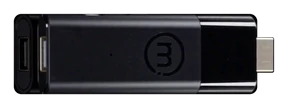
A sharing system that connects the presenter's device to a room receiver through a small transmitter, often with a button to start sharing.
Dongle-based systems →- Hybrid synchronous
A class or meeting with people attending in the room and remotely at the same time. Watching a recording later is asynchronous.
Hybrid learning spaces →- Meeting parity
People in the room and people joining remotely can see the same shared content on their own screens.
Shared content in hybrid meetings →- Microsoft Teams Rooms and Zoom Rooms
Room systems built to host meetings using a specific platform's room experience. Joining another platform's meeting may offer different features from the native experience.
Room-system comparison →- Platform-agnostic
A system that supports more than one meeting platform. Native apps, browser join and guest-join modes can offer different features, so check how each platform is supported.
Meeting platform choices →- Room-hosted
The general category of systems that run and control meetings on room hardware, without requiring a participant's laptop. The term describes where the meeting runs, not which platforms it supports.
Meeting models →- Screen mirroring and casting
Screen mirroring copies your device's screen to another display. Casting is a broader term for sending content to a display and can include screen mirroring.
Screen-sharing methods →- Web-join
Mersive's name for joining a Polaris workspace and sharing from a supported computer browser, with no app to install. Enter the screen key shown on the room display at app.mersive.com.
Browser sharing →- Wireless presentation system
A system that sends content from a device to a room display without a display cable connecting the two. The category includes dongle systems, casting receivers and platforms with several sharing methods.
System comparisons →- Workspace
A shared display area that brings several live sources together, so people can view and compare them side by side.
The Polaris workspace →