Wireless presentation, answered plainly.
Get clear answers about sharing in conference rooms: connecting guests, choosing room hardware, running hybrid meetings and managing displays across your organization.
Ten questions to help you plan your rooms.
How do I share my screen in a conference room without cables?
On a laptop, desktop or Chromebook, open app.mersive.com in a current browser and enter the key shown on the room display. You can share without installing an app, getting admin rights or plugging in a dongle.
AirPlay, Miracast and Google Cast offer native sharing over a local connection to the room. For phone and tablet sharing, use the Polaris app for iOS or Android, or a supported native casting protocol.
Can a guest share without joining our corporate network?
Yes. A guest can join the workspace from a separate network using the key on the room display, without joining your corporate network or setting up a VPN. Polaris Cloud handles signaling so the guest's device and the room can establish an encrypted WebRTC connection.
Review the network requirements with your IT team before rollout. Read the deployment guidance.
What do BYOD, BYOM and BY mean in a meeting room?
BYOD, bring your own device: you share your device's screen to the room display. If you join a video call, it still runs on your device.
BYOM, bring your own meeting: your laptop hosts the call and uses the room's camera and microphone. Polaris Pro supports wireless BYOM through Polaris Link.
BY, bring yourself: the room hosts and controls the meeting, without requiring a participant's device. Polaris Host is planned to add this model to Polaris Pro and Essentials rooms. Pre-launch, planned for Q4 2026. It is not orderable today.
Can Polaris use our existing room camera and video bar?
Polaris Pro connects room cameras, microphones, speakers and touch peripherals over USB. Polaris Link bridges supported room peripherals into the meeting running on your laptop.
Pro's USB specification is 2x USB 3.0+ Type-C (female), host mode, 5 V at 0.9 A max, no USB Power Delivery. Essentials runs the same Polaris software, but its chassis has no USB input, so it does not support wireless BYOM or Polaris Link.
Check your camera or video bar model before specifying the room. Discuss peripheral compatibility.
How many people can share at the same time?
Several people can share side by side, with the layout adjusting as sources join and leave. The practical ceiling is around 5 simultaneous shares on Polaris Essentials and around 10 on Polaris Pro.
That difference comes from the memory in each chassis. Both run the same software, and the software does not count sources or reject the next one at a fixed limit.
Do I need an app to present?
For browser sharing from a laptop, desktop or Chromebook, no. Open app.mersive.com and enter the room key.
Phones and tablets can share through the Polaris app for iOS or Android, or through a supported native casting protocol. The mobile app also lets you control the workspace from your seat. AirPlay, Miracast and Google Cast use a local connection to the room; browser sharing and the Polaris mobile app support joining from separate networks.
Which Polaris product fits our meeting rooms?
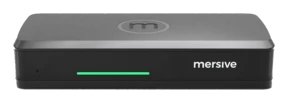
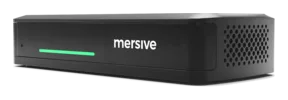
Choose by what the room needs to connect and display. Polaris Essentials and Pro run the same software for sharing and room management.
Polaris Essentials suits huddle rooms and standard meeting rooms with 1 display. It has 10/100/1000 RJ-45 Ethernet and a practical ceiling of around 5 simultaneous shares.
Polaris Pro suits rooms that need wired HDMI input or USB room peripherals for wireless BYOM. Its display output is Dual 4K UHD, 3840 x 2160 at 60 Hz, with a practical ceiling of around 10 simultaneous shares.
These differences come from the hardware. Compare Polaris Essentials and Pro.
Can meeting displays also show digital signage?
Yes. An idle meeting display can show signage, switch to the workspace when people start sharing and return to signage when they finish.
The same Polaris Cloud portal manages dedicated signage screens in lobbies, hallways and cafeterias alongside your meeting rooms. Signage is included, with no separate signage license.
How do we manage hundreds of meeting rooms?
Use Polaris Cloud to deploy, monitor and update rooms across your sites from one console. Apply room profiles with templates, onboard devices in bulk, receive health alerts and schedule firmware updates for individual devices or across the fleet.
Editing a template re-applies it to every device assigned to it, so a room that was changed locally comes back to the approved profile. You can also manage devices in bulk without a template.
What evidence can our security team review?
The Trust Center explains the security architecture and the scope of the independent assessments:
- Information security management: ISO/IEC 27001:2022 certification covers the ISMS supporting the Mersive Collaboration Suite (Solstice Cloud System). There were no nonconformities at the June 2026 surveillance audit.
- Cloud controls: SOC 2 Type 2 attestation covers the Polaris cloud management console. The currently recorded report covers 1 March – 31 May 2025; it does not include the software or hardware appliances in its system boundary.
- Product testing: the July 2026 application assessment against OWASP ASVS 5.0.0 reported no critical or high-severity findings. The Gen 4 Pod and Pod Mini also underwent a separate device assessment in May 2025.
Production firmware requires secure boot. The device's own identity and firmware-verification keys are held in its secure element (NXP SE050F2HQ1/Z018HZ, I2C bus). The pod supports 802.1X with EAP-TLS for network authentication. These are distinct controls; the secure-element statement does not cover customer 802.1X certificates or key passwords.
Review the security evidence. The SOC 2 Type 2 report is available under NDA.
Comparing systems? Explore the comparison matrix for capability comparisons, source references and any open verification notes.